
Best Computer Monitors (Expert Consensus)
Last reviewed: 2026-05-04
(This page is updated periodically as expert recommendations and market conditions change.)
Disclosure: This page contains affiliate links. If you buy through our links, we may earn a commission. This does not influence our recommendations or rankings.
Category Overview & Market Context
What This Category Is
Computer monitors are standalone desktop displays designed to connect to a laptop, desktop PC, or gaming console. This review covers standard and ultrawide monitors from 24 to 49 inches, spanning panel technologies including IPS, VA, OLED (including QD-OLED and WOLED), and Mini LED. We evaluate monitors for general productivity, gaming, content creation, and mixed-use scenarios.
State of the Market
The monitor market in 2026 is defined by three converging trends: QD-OLED displays reaching mainstream pricing, IPS Black panels narrowing the contrast gap between IPS and VA technology, and Mini LED backlighting delivering genuine HDR performance at budget price points. QD-OLED monitors that cost well over a thousand dollars just two years ago are now available in the mid-range, while Dell’s IPS Black technology has tripled the contrast ratio of standard IPS panels. Budget buyers can now access Mini LED with hundreds of dimming zones for under $300 — a capability that was reserved for premium displays as recently as 2024. Connectivity has also evolved: USB-C with power delivery, Thunderbolt 4, and built-in KVM switches are now standard on productivity monitors, turning the display into a single-cable docking solution.
Who This Is For / Not For
This review is for anyone shopping for a desktop monitor — whether upgrading from a laptop screen, replacing an aging display, or building a new workstation. It covers general productivity users, gamers, content creators, and anyone who wants a better screen for everyday computing. It is not intended for buyers seeking portable monitors, broadcast-grade reference displays, or television replacements. If you need a monitor specifically for professional color grading or broadcast production, dedicated reference monitors from Eizo, NEC, or similar manufacturers may be more appropriate.
How This Review Was Produced
This review is based on expert consensus rather than a single reviewer’s opinion.
We analyze and synthesize recommendations from multiple independent expert review sources that meet our editorial quality and transparency standards. We document where experts agree, where they differ, and why. No single source determines our recommendations.
We do not conduct original product testing. Instead, we rely on experts who do — such as publications that perform hands-on testing, lab measurements, or clearly documented evaluation methodologies.
Manufacturers do not influence our recommendations. Advertising, affiliate relationships, or commercial considerations do not affect which products are included, how they are ranked, or how they are described.
When helpful, we also consult additional secondary review outlets to understand how broader expert opinion aligns — or conflicts — with the primary consensus. These secondary sources do not determine winners but may provide context or confirmation.
Top Picks at a Glance
Best Overall
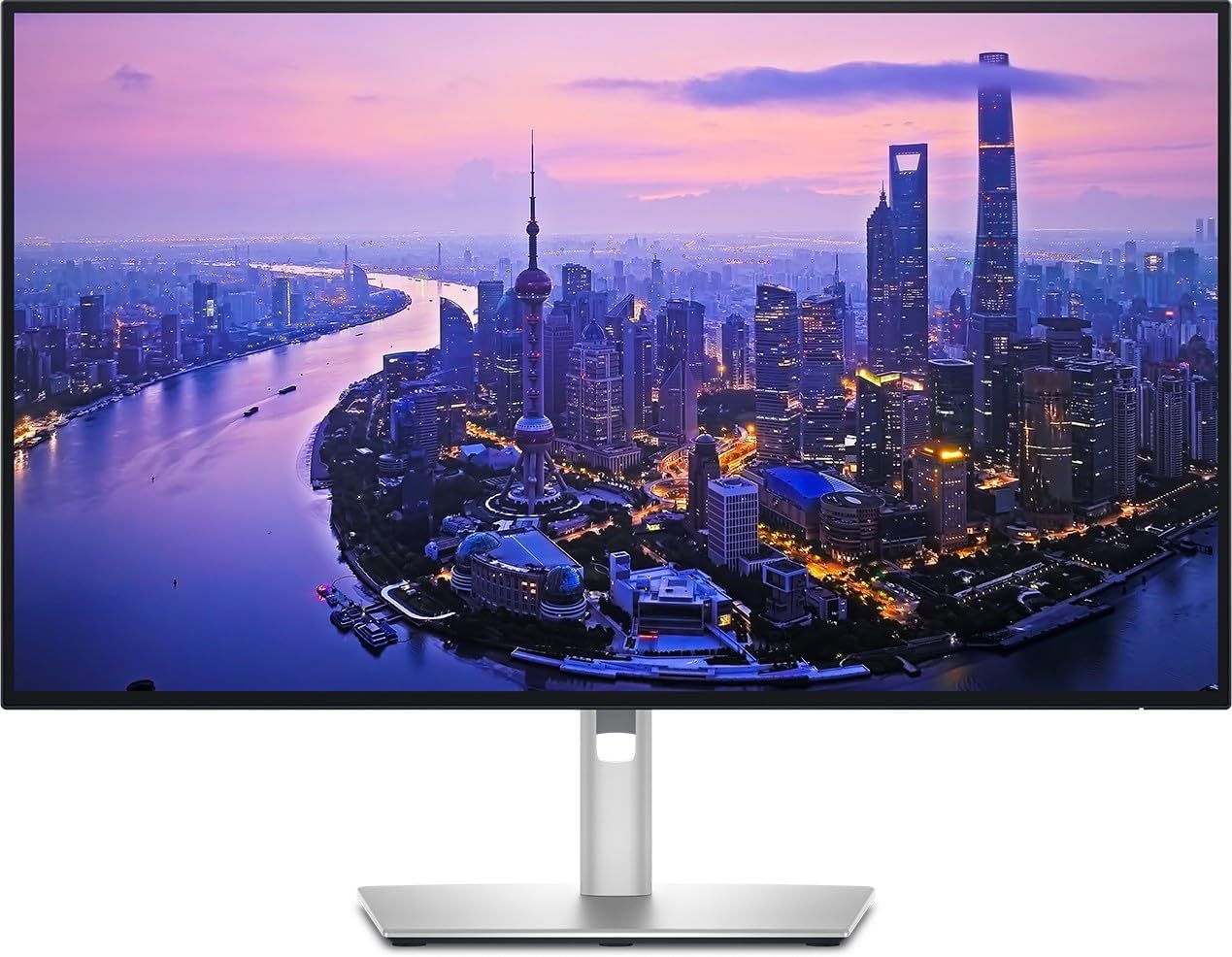
Dell UltraSharp U2725QE
The most consistently recommended general-purpose monitor across expert sources, combining a sharp 4K IPS Black display with extensive connectivity and a built-in USB hub.
Best Gaming Monitor
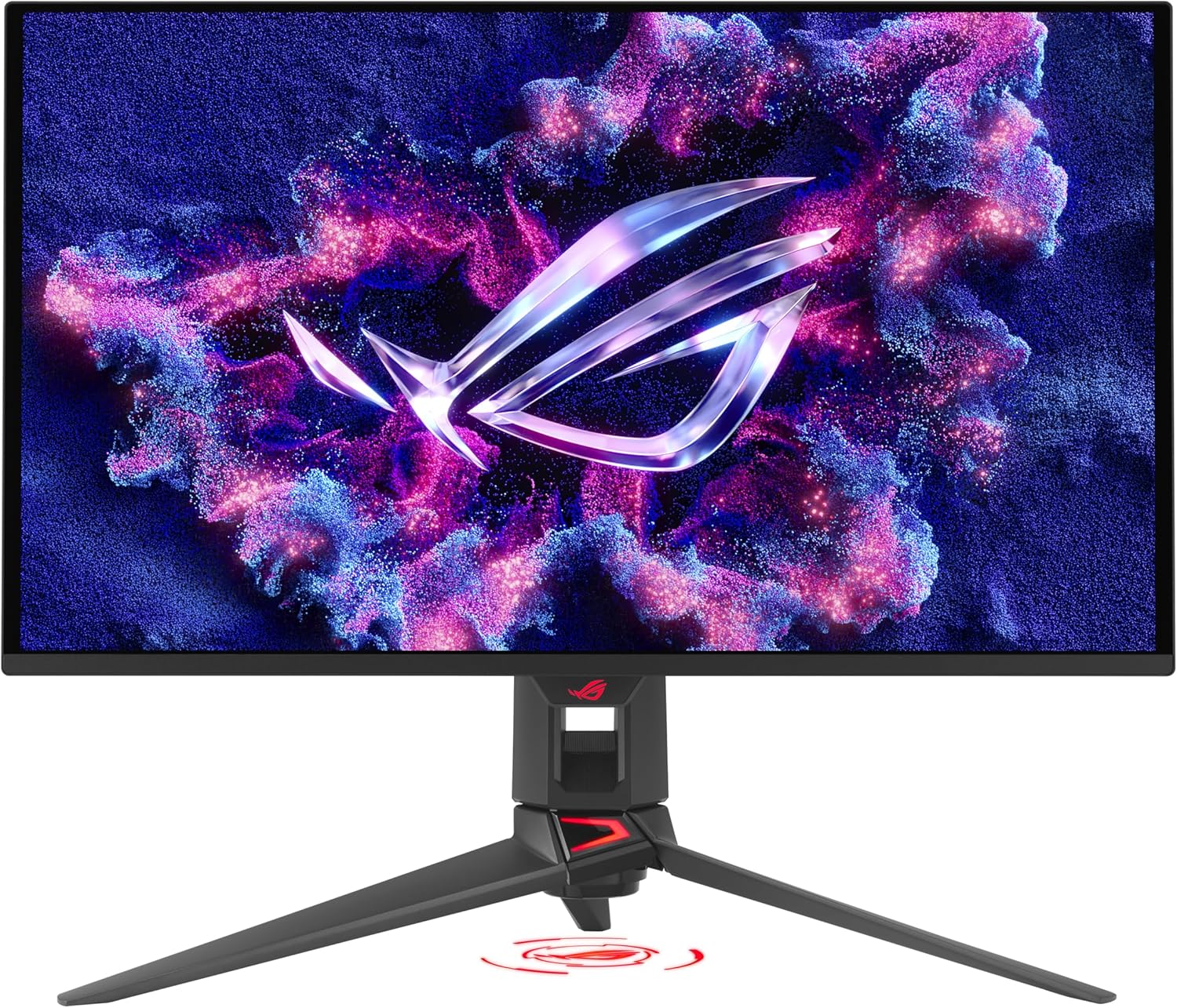
ASUS ROG Swift OLED PG27UCDM
The monitor with the broadest expert recognition for gaming, delivering 4K resolution at 240Hz on a QD-OLED panel with near-instantaneous response time.
Best Budget Monitor
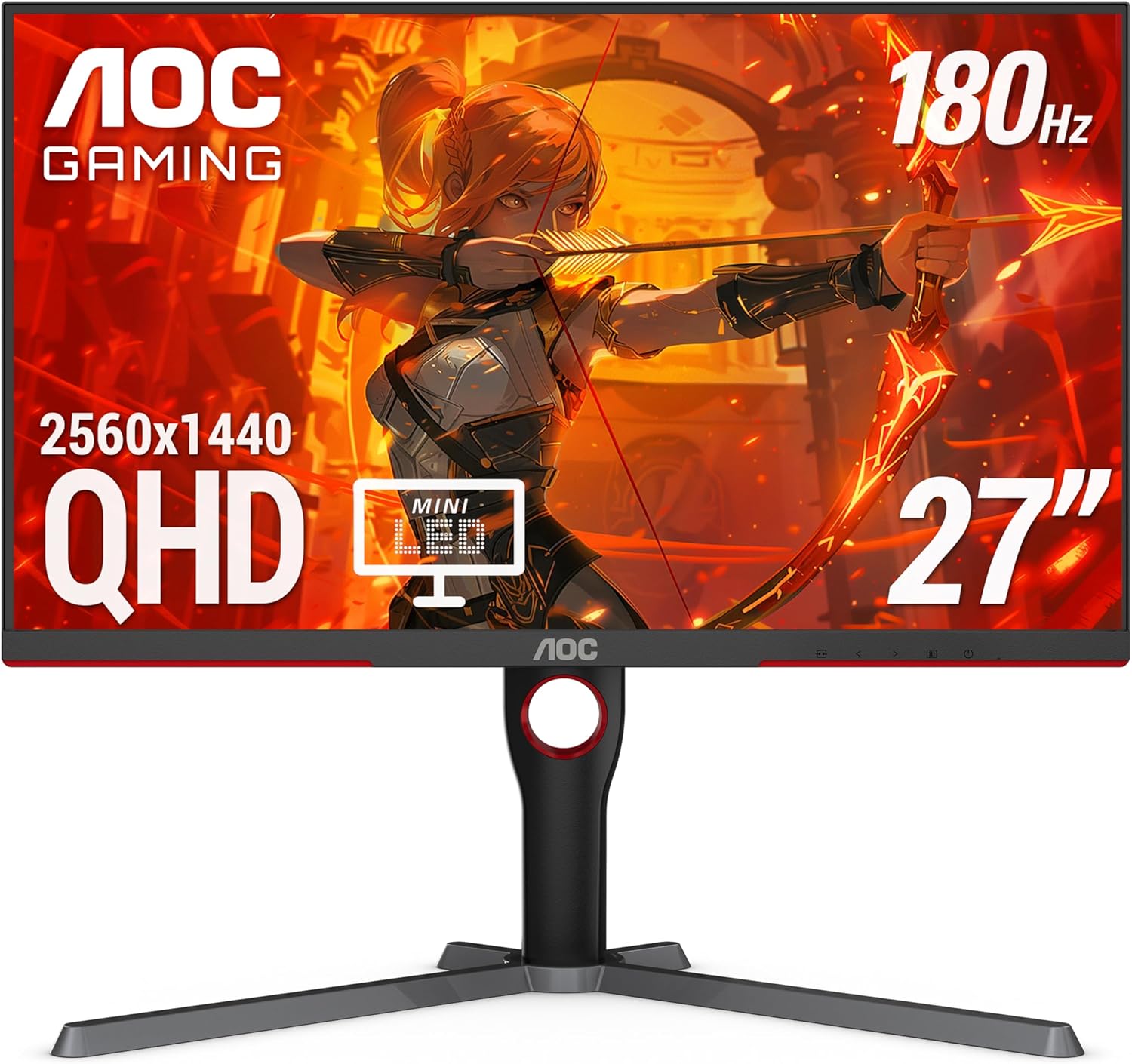
AOC Q27G3XMN
An exceptional value that brings Mini LED backlighting and genuine HDR performance to a price point that most sources consider budget territory.
Best Ultrawide Monitor
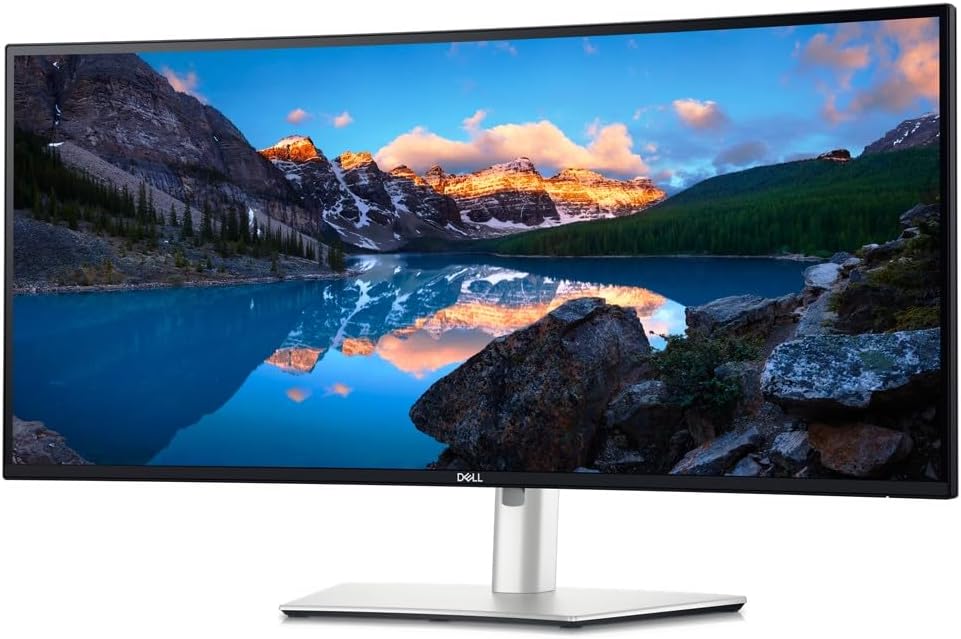
Dell UltraSharp U3425WE
A full-featured ultrawide that pairs an IPS Black display with Thunderbolt 4 connectivity, a built-in KVM switch, and a 120Hz refresh rate.
Top Picks in Detail
Below are our recommendations explained in more depth, including why experts agree and where each pick has trade-offs.
Best Overall: Dell UltraSharp U2725QE
BEST OVERALL
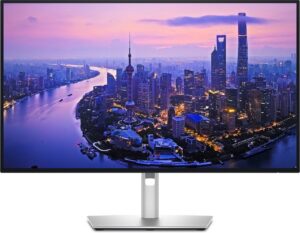
Dell UltraSharp U2725QE
Experts converge on the Dell UltraSharp U2725QE as the strongest all-around desktop monitor. Its enhanced IPS Black panel delivers three times the contrast of standard IPS displays, and its Thunderbolt 4 hub with USB-C power delivery turns a single cable into a complete docking solution. Wirecutter names it their Top Pick for 4K monitors, and Forbes Vetted selects it as Best 4K.
If you buy through our links, we may earn a commission. This doesn’t affect our recommendations.
Why It’s a Top Pick
The Dell UltraSharp U2725QE represents a rare point of convergence among expert sources that often disagree on what makes the best monitor. Wirecutter names it their Top Pick for 4K monitors, praising its image quality and noting that the IPS Black display provides more than twice the contrast of competitors. Wirecutter’s reviewer, Dave Gershgorn — an Imaging Science Foundation (ISF) certified display calibrator — also selects it as the Upgrade Pick in the 27-inch guide. Forbes Vetted names it Best 4K, and RTINGS lists the U2725QE as a Notable Mention for its work-focused feature set, including a large USB hub and KVM switch.
What makes this consensus particularly notable is that sources arrive at this recommendation from different evaluation frameworks. Wirecutter prioritizes practical features and port selection, PCWorld emphasizes display calibration accuracy, and Forbes Vetted weighs color reproduction for creative tasks. The U2725QE satisfies all three perspectives — a breadth of expert support that few monitors in any segment achieve.
What Experts Like
- Enhanced IPS Black panel with a 3000:1 contrast ratio — three times the contrast of standard IPS monitors, delivering noticeably deeper blacks and more vivid images
- Thunderbolt 4 connectivity with USB-C power delivery, functioning as a full docking solution for laptops through a single cable
- Extensive USB hub with multiple USB-A and USB-C ports, including a drop-down mechanism on the underside of the monitor for easy access
- Sharp, legible 4K text and accurate color reproduction straight out of the box, with 99% DCI-P3 color coverage
- Built-in KVM switch that lets users control two computers with a single keyboard and mouse
Trade-Offs to Consider
- IPS Black contrast, while much improved, still cannot match the infinite contrast of OLED displays for dark-scene content
- The 120Hz refresh rate is adequate for smooth desktop use but falls well short of the 240Hz or higher rates available on dedicated gaming monitors
- Response time performance makes this monitor unsuitable for competitive gaming, as several reviewers note visible motion blur in fast-paced titles
Runners-Up
The broader Dell UltraSharp lineup and several strong alternatives offer different takes on the general-purpose monitor.
- Dell UltraSharp U3225QE — The 32-inch version of the top pick, selected by PCWorld as Best 4K and by Wirecutter as their Upgrade Pick for 4K monitors. It shares the same IPS Black technology with a higher 140W USB-C power delivery. Ideal for users who want more screen real estate, but the larger size requires more desk space and commands a higher price.
- Asus ProArt Display PA278CGV — Wirecutter’s Top Pick for 27-inch monitors. A 1440p display with excellent color accuracy, USB-C charging at 90W, and a fully adjustable stand with a three-year warranty. It costs hundreds of dollars less than comparable 4K monitors, making it the value option for users who don’t need 4K resolution.
- Dell S3225QC — RTINGS’ Best Upper Mid-Range pick and Wirecutter’s Best for Entertainment among 4K monitors. A 32-inch 4K QD-OLED that delivers deep blacks and vivid colors for users who want premium picture quality for both work and entertainment. The OLED panel carries a burn-in risk with static content and has fewer productivity-focused ports than the UltraSharp models.
Best Gaming Computer Monitor: ASUS ROG Swift OLED PG27UCDM
BEST GAMING COMPUTER MONITOR
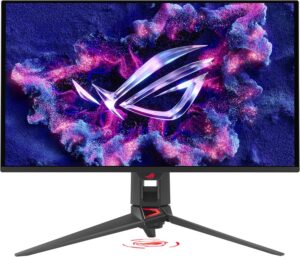
ASUS ROG Swift OLED PG27UCDM
The ASUS ROG Swift OLED PG27UCDM earns the broadest cross-source recognition as a gaming display, named Best Monitor overall by RTINGS and Best Overall by Forbes Vetted. Its 4K QD-OLED panel at 240Hz combines resolution, speed, and picture quality in a way that multiple expert sources identify as the current benchmark.
If you buy through our links, we may earn a commission. This doesn’t affect our recommendations.
Why It’s a Top Pick
The gaming monitor segment features significant expert disagreement — and that disagreement is where the most useful information lies. RTINGS, which has bought and tested over 385 monitors, names the PG27UCDM as its Best Monitor overall, noting that it delivers fantastic picture quality with deep, inky blacks and vivid colors. Forbes Vetted independently names it Best Overall. TFTCentral, a monitor-specialist publication with deep technical expertise, also recommends it.
The disagreement comes from sources that prioritize different aspects of gaming performance. Tom’s Hardware selects the ASUS ROG Swift PG27AQDP as its Best Overall Gaming Monitor — a 1440p panel with a 480Hz refresh rate, optimized for competitive esports where raw speed matters more than resolution. PCWorld picks the MSI MPG 272URX QD-OLED, and Reviewed selects the Alienware AW3225QF. These different picks reflect genuinely different priorities: the PG27UCDM offers the best combination of resolution and picture quality, while the PG27AQDP trades resolution for higher frame rates. For most gamers, the PG27UCDM’s 4K 240Hz QD-OLED panel offers the most versatile package.
What Experts Like
- 4K resolution at 240Hz on a QD-OLED panel, delivering both sharpness and speed in a single display
- Near-instantaneous 0.03ms response time that eliminates ghosting and motion blur in fast-paced games
- DisplayPort 2.1a with full 80Gbps bandwidth, supporting uncompressed 4K at 240Hz without relying on Display Stream Compression
- Versatility beyond gaming, including USB-C with 90W power delivery and a KVM switch for productivity use
- Fourth-generation QD-OLED technology with OLED Care Pro features including a proximity sensor to reduce burn-in risk
Trade-Offs to Consider
- Carries a significant price premium over non-OLED alternatives and even some competing QD-OLED models
- The 240Hz maximum refresh rate, while fast, is lower than the 480Hz or 500Hz rates available on competitive esports monitors — competitive players may prefer the faster PG27AQDP
- Semi-glossy QD-OLED panel can be problematic in bright rooms, as RTINGS notes that black levels rise and blacks may appear purple under ambient light
Runners-Up
Expert disagreement in this segment reflects genuinely different gaming priorities. The following alternatives each represent a different expert perspective on what makes the best gaming monitor.
- Alienware AW3225QF — Selected by Reviewed as Best Overall Gaming Monitor and by Tom’s Hardware as Best 4K Gaming Monitor. A 32-inch curved QD-OLED with 4K resolution at 240Hz. Offers a larger screen than the winner with excellent color accuracy. The curved panel and bigger size appeal to gamers who prefer an immersive experience, though the curve may not suit everyone.
- AOC Q27G3XMN — RTINGS’ Best Budget pick and Forbes Vetted’s Best Value, also recommended by TFTCentral and Reviewed. A 27-inch 1440p Mini LED monitor with 336 dimming zones that delivers genuine HDR gaming performance at an accessible price. The most affordable path to quality gaming with real HDR, though its VA panel has narrower viewing angles and some black smearing. Also our Best Budget winner.
- Alienware AW3423DWF — Wirecutter’s Best Gaming pick among ultrawide monitors and Tom’s Hardware’s Best Curved Gaming Monitor. A 34-inch 1440p QD-OLED ultrawide at 165Hz that offers the immersive widescreen experience of an ultrawide with OLED picture quality. It lacks USB-C connectivity and gets less bright than IPS alternatives. Also a runner-up in our Best Ultrawide segment.
Best Budget Computer Monitor: AOC Q27G3XMN
BEST BUDGET COMPUTER MONITOR
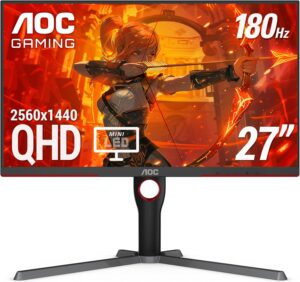
AOC Q27G3XMN
The most frequently recommended affordable monitor across expert sources, the AOC Q27G3XMN delivers Mini LED backlighting with 336 dimming zones at a price point that multiple sources classify as budget. RTINGS names it Best Budget, Forbes Vetted selects it as Best Value, and both TFTCentral and Reviewed recommend it.
If you buy through our links, we may earn a commission. This doesn’t affect our recommendations.
Why It’s a Top Pick
The AOC Q27G3XMN appears on more expert recommendation lists than any other monitor in its price range. RTINGS names it Best Budget in their main roundup. Forbes Vetted selects it as Best Value. TFTCentral includes it in their gaming recommendations, and Reviewed recommends it as a Best Value 1440P Gaming Monitor. This breadth of recognition from sources that use different evaluation methodologies — RTINGS with instrument-based lab testing, Forbes Vetted with hands-on expert review, TFTCentral with deep panel-level analysis — creates unusually strong consensus for a budget product.
What sets the Q27G3XMN apart is that it delivers Mini LED with 336 dimming zones at a price that was mid-range territory as recently as 2024. This means genuine HDR performance — bright highlights against deep blacks — rather than the checkbox HDR found on most budget monitors. RTINGS notes that it displays deep blacks against bright highlights, which is great for watching HDR content.
What Experts Like
- Mini LED backlighting with 336 dimming zones delivers real HDR performance with deep blacks and bright highlights at a budget price
- 27-inch 1440p resolution provides a sharp, detailed image with a pixel density suitable for both gaming and desktop productivity
- 180Hz refresh rate and fast response time make it capable enough for mainstream gaming alongside everyday use
- Ergonomic stand with height, swivel, tilt, and pivot adjustment — unusual at this price point
Trade-Offs to Consider
- VA panel has narrower viewing angles than IPS, with colors shifting when viewed from the side
- Some black smearing behind fast-moving objects, as RTINGS notes — competitive FPS players may find this distracting
- No USB hub or USB-C connectivity, which means laptop users will need a separate dock or adapter
- 1440p resolution falls short of 4K for users who need the sharpest possible text and image detail
Runners-Up
- Dell 27 Plus S2725QS — Wirecutter’s Budget Pick for 4K monitors and WIRED’s Best Overall. A 27-inch 4K IPS display at 120Hz that provides sharp text and accurate colors. The best budget path to 4K resolution, though it lacks the Mini LED HDR performance of the AOC and has no USB hub.
- Acer Vero B247Y G — PCWorld’s Best Budget monitor. A 24-inch 1080p IPS display with a solid ergonomic stand and eco-conscious design. Occupies the true entry-level tier for buyers who want the absolute lowest price with acceptable quality, but its smaller screen and lower resolution limit its versatility.
Best Ultrawide Computer Monitor: Dell UltraSharp U3425WE
BEST ULTRAWIDE COMPUTER MONITOR
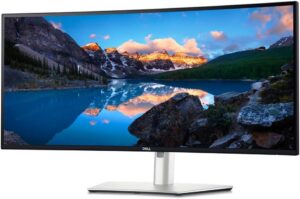
Dell UltraSharp U3425WE
Wirecutter’s Top Pick for ultrawide monitors, the Dell UltraSharp U3425WE combines an IPS Black display with Thunderbolt 4 connectivity, a built-in KVM switch, and a 120Hz refresh rate in a 34-inch curved form factor designed for productivity-focused multitaskers.
If you buy through our links, we may earn a commission. This doesn’t affect our recommendations.
Why It’s a Top Pick
Wirecutter, whose monitor reviewer holds ISF display calibration certification, names the Dell UltraSharp U3425WE as their Top Pick for ultrawide monitors. Their review praises its IPS Black display with great contrast, its 120Hz refresh rate for smoother on-screen animations, and its useful port selection including USB-C and DisplayPort-out for daisy-chaining. The monitor also features an ambient-light sensor that adjusts brightness and color temperature based on the time of day and available light — a feature that Wirecutter highlights as particularly practical for all-day use.
The ultrawide monitor segment splits between productivity-focused IPS displays and gaming-focused OLEDs, and the U3425WE wins for the productivity side. Its extensive connectivity — including Thunderbolt 4, a large USB hub, KVM switching, and even a 2.5 Gigabit Ethernet port — makes it a single-cable workstation hub. For users who want an ultrawide primarily for multitasking and split-screen workflows, this is the monitor that expert consensus supports most strongly.
What Experts Like
- IPS Black display with double the contrast of standard IPS, providing deeper blacks and more vivid images than typical ultrawide monitors
- Thunderbolt 4 connectivity with 90W power delivery, functioning as a complete docking solution through a single cable
- Built-in KVM switch and extensive USB hub make it easy to switch between two computers while sharing a keyboard and mouse
- Ambient-light sensor automatically adjusts brightness and color temperature to match room conditions
- 120Hz refresh rate delivers noticeably smoother scrolling and window management compared to 60Hz ultrawides
Trade-Offs to Consider
- IPS Black contrast, while excellent for an LCD, cannot match the infinite contrast and deep blacks of OLED ultrawide alternatives
- The 1440p ultrawide resolution, while adequate for most productivity tasks, has a lower pixel density than 4K standard-width monitors
- Carries a premium price for a non-OLED ultrawide monitor
Runners-Up
- Dell UltraSharp U4025QW — Wirecutter’s Upgrade Pick for ultrawide monitors and PCMag’s Best Ultrawide Monitor for Creative Pros. A 40-inch display with a 5120×2160 resolution — the highest resolution ultrawide tested by Wirecutter. Its USB-C port delivers 140W of power and it shares the same IPS Black technology as the top pick. Designed for maximalists who want the biggest possible ultrawide canvas, though its size and price put it out of reach for most buyers.
- Alienware AW3423DWF — Wirecutter’s Best Gaming pick among ultrawide monitors and Tom’s Hardware’s Best Curved Gaming Monitor. A 34-inch QD-OLED with 165Hz refresh rate that offers the best ultrawide experience for users who prioritize gaming and entertainment over productivity. Its OLED panel delivers stunning contrast and color, but it lacks USB-C connectivity and gets less bright than IPS alternatives — trade-offs that make it less suited for all-day office work. Also a runner-up in our Best Gaming segment.
How to Choose the Right Computer Monitor for You
Decide what you’ll primarily use the monitor for. The single biggest factor in choosing a monitor is your primary use case. If you spend most of your time in spreadsheets, documents, and web browsing, a productivity-focused display like the Dell UltraSharp line — with USB-C docking, a KVM switch, and sharp 4K text — will serve you best. If gaming is your priority, an OLED or Mini LED panel with a high refresh rate will deliver the motion clarity and contrast that productivity monitors cannot match. If you need to do both, look for monitors that experts recommend across multiple use cases, like the ASUS ROG Swift OLED PG27UCDM, which RTINGS selects as Best Monitor overall for both gaming and general use.
Choose between standard and ultrawide form factors. Standard 16:9 monitors in 27-inch and 32-inch sizes are the most versatile and widely supported. Ultrawide monitors (21:9 or wider) provide more horizontal screen space for multitasking and can replace a dual-monitor setup, but they take up more desk space, cost more, and some applications do not support ultrawide resolutions natively. If you frequently work with two windows side by side, an ultrawide like our Best Ultrawide pick may be worth considering.
Understand the panel technology trade-offs. IPS panels offer wide viewing angles and consistent colors, making them the standard for productivity monitors. VA panels provide higher contrast ratios but narrower viewing angles. OLED (including QD-OLED) delivers the best contrast and fastest response times, but at a higher price and with some risk of burn-in from static content displayed for extended periods. Mini LED uses local dimming zones behind an LCD panel to improve contrast and HDR performance — a middle ground between standard LCD and OLED.
Consider resolution and screen size together. A 4K display at 27 inches produces noticeably sharper text and images than a 1440p display at the same size, but the difference is less dramatic at 32 inches where 4K pixel density is lower. For 24-inch monitors, 1080p remains acceptable, and 1440p is a meaningful upgrade. For 27 inches, 1440p is the sweet spot for value while 4K is preferred for productivity and creative work. At 32 inches, 4K is recommended to maintain acceptable pixel density.
Evaluate connectivity based on your devices. If you use a laptop as your primary computer, USB-C with power delivery is transformative — it lets you connect, charge, and extend your laptop through a single cable. Thunderbolt 4 adds higher data throughput and daisy-chaining capability. If you switch between multiple computers, a built-in KVM switch eliminates the need to swap keyboard and mouse cables. Desktop PC users primarily need HDMI or DisplayPort, and gamers should verify the monitor supports the bandwidth required for their target resolution and refresh rate.
Know how much refresh rate you actually need. For general productivity, 60Hz is functional but 120Hz delivers noticeably smoother scrolling and cursor movement. For casual gaming, 120-165Hz is comfortable for most titles. For competitive gaming, 240Hz and above provides a measurable responsiveness advantage, though the visual difference between 240Hz and 480Hz is subtle for most players. Higher refresh rates require a sufficiently powerful graphics card to reach those frame rates at your chosen resolution.
If you use a Mac, pay special attention to resolution and ecosystem compatibility. macOS handles display scaling differently from Windows, and Wirecutter specifically notes that most lower-resolution 1440p monitors can appear blurry when connected to a Mac. A 4K monitor avoids this issue entirely — Wirecutter confirms that the Dell UltraSharp U2725QE, our Best Overall pick, looks sharp and does not demonstrate blurriness with Mac machines. Several sources also recommend the Apple Studio Display as a premium option built specifically for the Apple ecosystem: Tom’s Guide names it their Best for Mac pick, PCMag selects the updated 2026 Apple Studio Display as Best Apple Monitor for Mac Users and Creators, and CNET and Digital Trends both recommend it for Mac-centric workflows. The Apple Studio Display offers tight integration with macOS including a built-in webcam, Thunderbolt connectivity, and Apple’s 5K Retina panel, but at a significant price premium over third-party monitors with comparable specifications. For most Mac users, a 4K monitor with USB-C or Thunderbolt connectivity — such as our Best Overall pick — will deliver an excellent experience at a lower cost.
How We Make Our Recommendations
Our recommendations follow a documented, repeatable editorial process designed to prioritize expert agreement, comparability, and clarity.
For each category, we:
- Define clear category scope and exclusions
- Identify and vet independent expert review sources
- Inventory all products reviewed across those sources
- Analyze patterns of agreement and disagreement
- Apply editorial judgment only after consensus is documented
When a category includes materially different product types, we segment recommendations rather than forcing a single “best overall.” For more information, see How We Work.
Sources & Citations
Primary Sources
- PCMag, The Best Computer Monitors for Work in 2026, April 2026
- PCWorld, Best monitors 2026: Top picks for gaming, 4K, HDR, and more, March 2026
- RTINGS, The 6 Best Monitors of 2026, April 2026
- TFTCentral, The Best Recommended Gaming Monitors 2026, April 2026
- Tom’s Guide, I’ve tested 100 monitors and these are the best ones for work, gaming and everyday use, March 2026
- Tom’s Hardware, Best Computer Monitors 2026, March 2026
- Tom’s Hardware, Best Gaming Monitors 2026: Budget, Curved, G-Sync and More, March 2026
- Wirecutter, The Best 24-Inch Monitor, Nov. 2025
- Wirecutter, The Best 27-Inch Monitor, March 2026
- Wirecutter, The Best 4K Monitors, April 2026
- Wirecutter, The Best Monitors, Dec. 2025
- Wirecutter, The Best Ultrawide Monitors, Jan. 2026
Secondary Sources Consulted for Context
- CNET, The Best Monitors to Buy in 2026, April 2025
- Digital Camera World, The best monitors for photo editing in 2026: affordable and premium computer screens, April 2026
- Digital Trends, The 10 best monitors for 2025: tested and reviewed, April 2025
- Forbes Vetted, The Best Monitors, According To Display Experts, Jan. 2026
- PC Gamer, Best ultrawide monitor for gaming in 2026: the immersive panels I recommend for PC gamers, Jan. 2026
- PetaPixel, The Best Monitors for Photography and Photo Editing in 2026, March 2026
- Reviewed, The Best Gaming Monitors of 2026, July 2024
- TechRadar, Best business monitor of 2026: Professional picks expertly tested, Feb. 2026
- WIRED, The Best Computer Monitors to Upgrade Your Desk Setup, Feb. 2026
Additional Sources Reviewed
- Consumer Reports, Computer Monitor Buying Guide, May 2022 [subscription required]
- Consumer Reports, Computer Monitor Ratings & Reviews [subscription required]
- Consumer Reports, CR Recommended Computer Monitors [subscription required]
Updates & Ongoing Review
This review is monitored on an ongoing basis. We update recommendations when expert sources publish new test results, products are discontinued, or consensus meaningfully changes.
Version History
- 2026-05-04 — Initial publication