
Best Computer Keyboards (Expert Consensus)
Last reviewed: 2026-05-12
(This page is updated periodically as expert recommendations and market conditions change.)
Disclosure: This page contains affiliate links. If you buy through our links, we may earn a commission. This does not influence our recommendations or rankings.
Category Overview & Market Context
What This Category Is
Computer keyboards are one of the most fundamental peripherals in any desktop setup, yet the range of options available can make choosing the right one genuinely difficult. This category covers desktop keyboards across the full spectrum of use cases — from quiet, wireless productivity boards designed for all-day office typing to high-performance gaming keyboards built around cutting-edge Hall-effect switch technology, and from budget-friendly options that deliver surprising quality to ergonomic designs engineered to reduce strain during long work sessions.
The keyboards in this review span mechanical, membrane, scissor-switch, and magnetic (Hall effect) switch types, in layouts ranging from compact 60% boards to full-size keyboards with number pads. Whether you type for a living, game competitively, or simply want a more comfortable daily driver, this category has a keyboard designed for your needs.
State of the Market
The keyboard market in 2026 is more dynamic than it has been in years. Hall-effect magnetic switches — which use magnets rather than physical contacts to register keystrokes — have moved from niche enthusiast territory into mainstream gaming keyboards, bringing features like adjustable actuation points, Rapid Trigger, and analog input to a growing number of products. Meanwhile, traditional mechanical keyboards have continued to improve in build quality, customization, and value, with brands like Keychron offering gasket-mounted, hot-swappable, wireless boards with full programmability at remarkably accessible prices.
On the productivity side, Logitech’s MX Keys S remains the dominant choice for office and multi-device users, while the ergonomic keyboard segment continues to evolve with options that balance comfort and familiarity. Budget keyboards have also seen meaningful improvements, with features like PBT keycaps, gasket mounts, and wireless connectivity now available well under traditional price floors.
Who This Is For / Not For
This review is designed for consumers shopping for a desktop keyboard for personal or professional use. It covers general productivity, mechanical enthusiast, gaming, budget, and ergonomic categories. If you’re looking for a specific type — a quiet wireless keyboard for the office, a responsive gaming keyboard for competitive play, or an ergonomic board to ease wrist discomfort — you’ll find our expert-consensus recommendation in the relevant segment below.
This review does not cover laptop keyboards, iPad or tablet keyboards, specialized accessibility devices, or custom artisan keyboards available only through limited group buys. Gaming keyboards with specialized features like Hall effect switches are included, but dedicated esports-level peripherals designed exclusively for professional tournament play may warrant separate evaluation.
How This Review Was Produced
This review is based on expert consensus rather than a single reviewer’s opinion.
We analyze and synthesize recommendations from multiple independent expert review sources that meet our editorial quality and transparency standards. We document where experts agree, where they differ, and why. No single source determines our recommendations.
We do not conduct original product testing. Instead, we rely on experts who do — such as publications that perform hands-on testing, lab measurements, or clearly documented evaluation methodologies.
Manufacturers do not influence our recommendations. Advertising, affiliate relationships, or commercial considerations do not affect which products are included, how they are ranked, or how they are described.
When helpful, we also consult additional secondary review outlets to understand how broader expert opinion aligns — or conflicts — with the primary consensus. These secondary sources do not determine winners but may provide context or confirmation.
Top Picks at a Glance
Best Overall
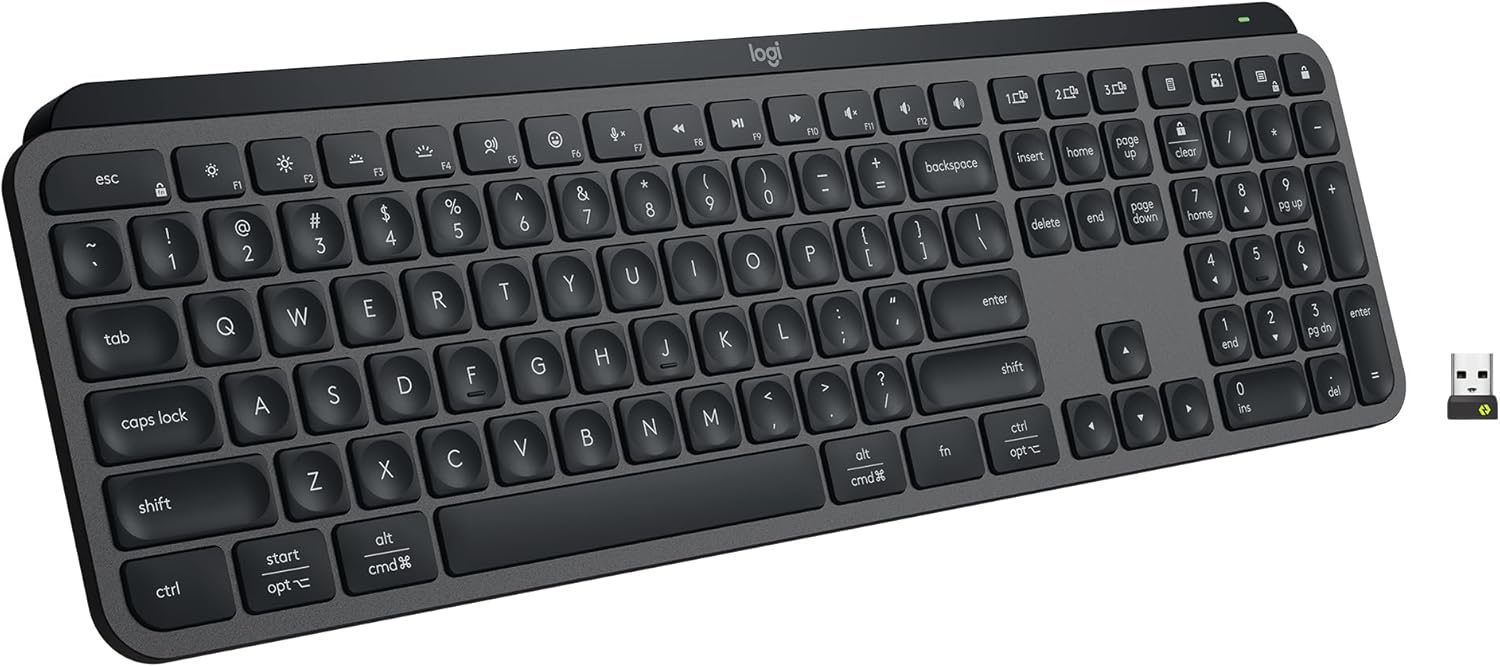
Logitech MX Keys S
The most consistently recommended keyboard across expert sources, praised for its comfortable scissor-switch typing, smart backlighting, and seamless multi-device wireless connectivity.
Best Mechanical Computer Keyboard
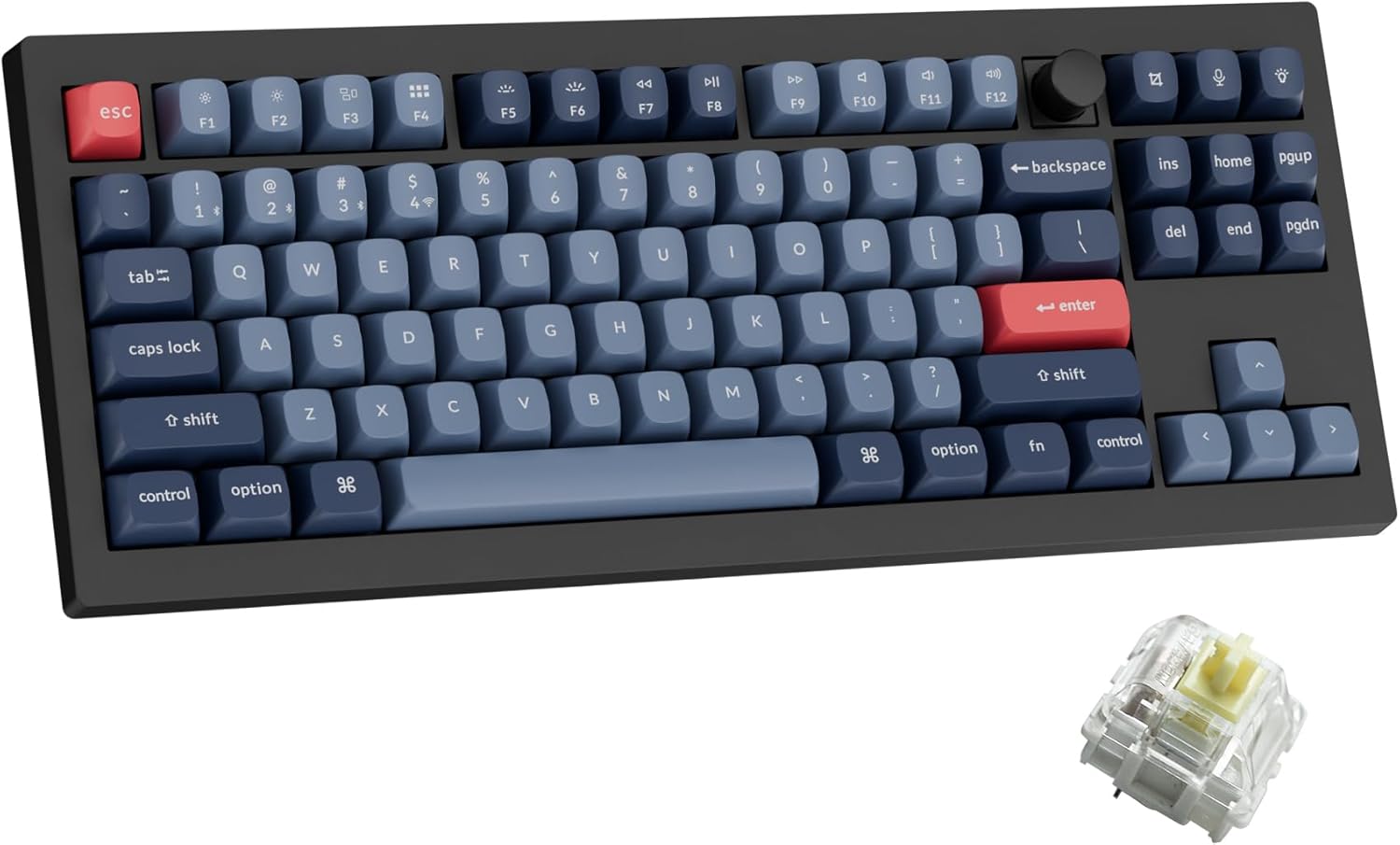
Keychron V3 Max
The expert consensus pick for the best combination of typing feel, customization, and value in a mechanical keyboard, with hot-swap, wireless, and full programmability.
Best Gaming Computer Keyboard
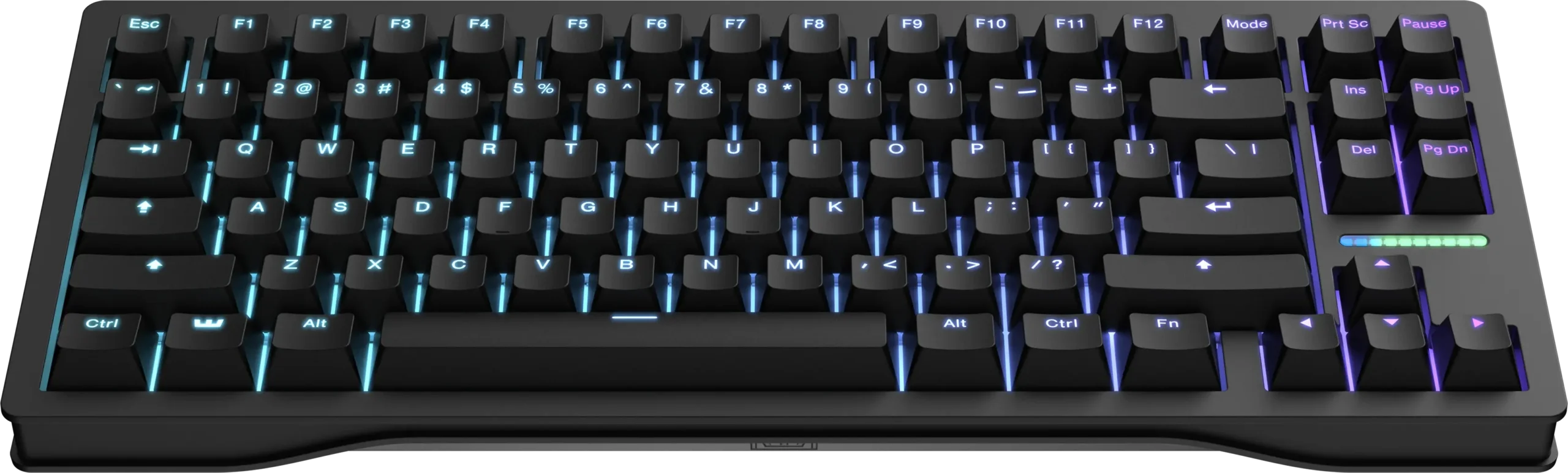
Wooting 80HE
The top-ranked gaming keyboard among expert testers, offering the lowest measurable latency, best-in-class Hall effect switches, and industry-leading Wootility software.
Best Budget Computer Keyboard

Logitech Pebble Keys 2 K380s
An extremely portable and affordable wireless keyboard with multi-device Bluetooth pairing and years-long battery life.
Best Ergonomic Computer Keyboard
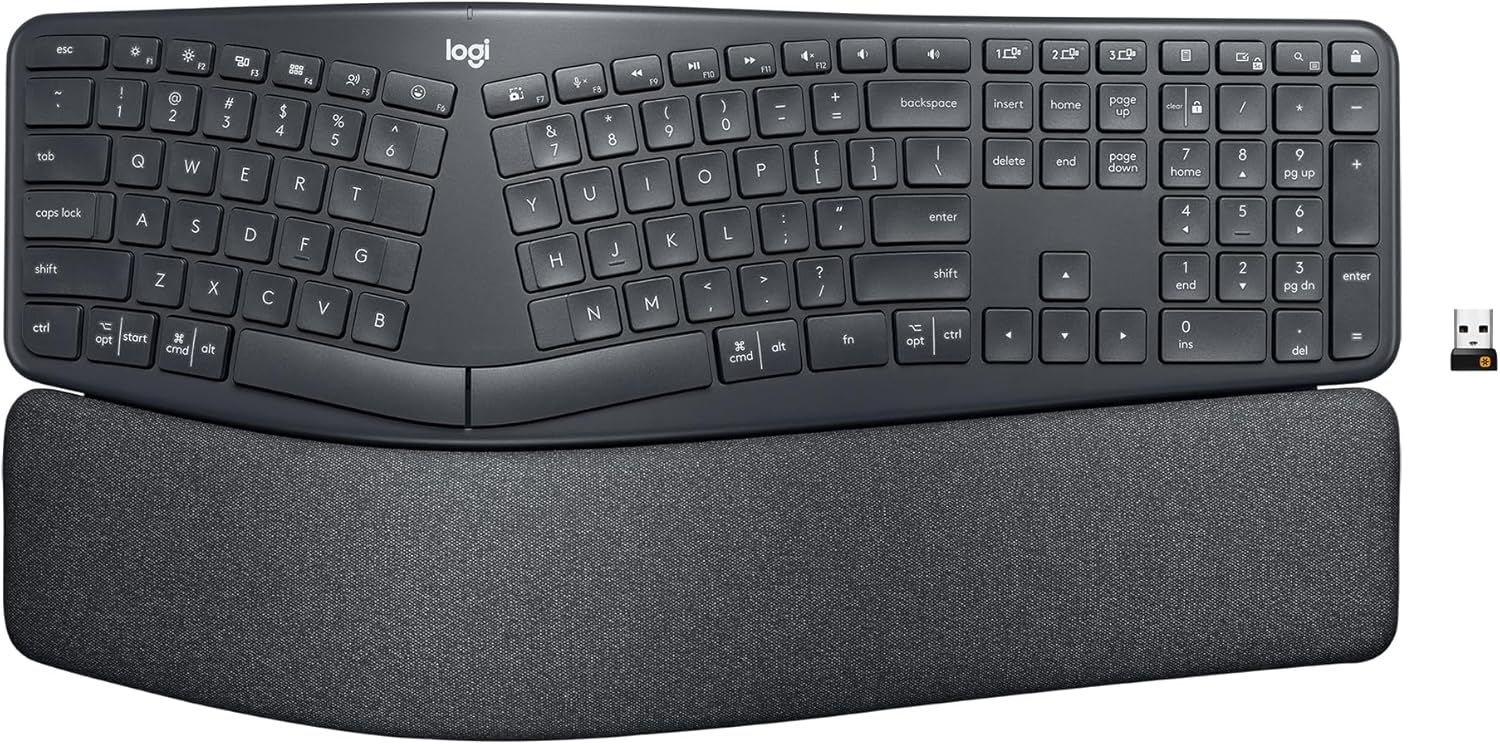
Logitech Ergo K860
The most recommended ergonomic keyboard among experts, combining a familiar split-curved layout with a padded wrist rest and multi-device wireless connectivity.
Top Picks in Detail
Below are our recommendations explained in more depth, including why experts agree and where each pick has trade-offs.
Best Overall Computer Keyboard: Logitech MX Keys S
BEST OVERALL
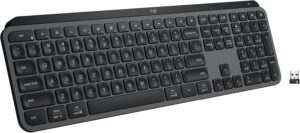
Logitech MX Keys S
The most recommended everyday keyboard across the expert sources we consulted. Its low-profile scissor switches deliver a comfortable, quiet typing experience that rivals laptop keyboards in feel while offering full desktop functionality. Smart backlighting, multi-device Bluetooth connectivity for up to three devices, and USB-C rechargeable battery make it a polished, productivity-first keyboard.
If you buy through our links, we may earn a commission. This doesn’t affect our recommendations.
Why It’s a Top Pick
The Logitech MX Keys S earns the Best Overall spot through remarkably consistent expert endorsement. RTINGS names it the best everyday-use keyboard for most people, highlighting its “perfect mix of build quality, ease of use, and excellent typing quality.” CNN Underscored’s tech writer calls it “simply the definition of what a great keyboard should be for most people” after testing more than a dozen keyboards. Engadget praises its low-profile design, smart illumination, and wide compatibility across Windows, macOS, ChromeOS, Linux, and iPadOS. TechGearLab ranks it as the best wireless office keyboard, noting that its spherically dished keys kept testers “happily engaged and productive.” Reviewed also selects it as the best wireless keyboard overall.
The keyboard’s multi-device functionality is a standout feature across sources. It connects to up to three devices simultaneously via Bluetooth or a Logi Bolt USB receiver, and switching between them requires only pressing one of three dedicated Easy Switch buttons. Wirecutter recommends it as the best full-size wireless keyboard, noting the comfortable typing experience and smart backlighting that adjusts to ambient lighting conditions.
What Experts Like
- Spherically dished keys cradle fingertips for comfortable, accurate typing during extended sessions
- Multi-device Bluetooth pairing with up to three devices and one-touch switching between them
- Smart backlighting that activates when hands approach and adjusts to ambient lighting conditions
- Rechargeable via USB-C with up to five months of battery life with backlighting disabled
Trade-Offs to Consider
- Scissor-switch mechanism lacks the tactile feedback and customization options of mechanical keyboards
- Full-size layout takes up more desk space than compact alternatives, though a Mini version is available
- Not designed for gaming — the scissor mechanism introduces latency in rapid keystroke scenarios
Runners-Up
If the MX Keys S is more keyboard than you need, or if you prefer a more compact or affordable option, these alternatives are also well-regarded by experts.
- Logitech Pop Icon Keys — Wirecutter’s Best Wireless keyboard pick, the Pop Icon Keys offers a compact form factor, multi-device Bluetooth, and years-long battery life powered by replaceable AAA batteries. It lacks a number pad and backlighting, but its approachable design and customizable function keys via the Logi Options+ app make it a strong choice for users who value simplicity and portability.
- Logitech Pebble Keys 2 K380s — Also our Best Budget winner, this ultra-compact wireless keyboard pairs with up to three Bluetooth devices and offers up to 36 months of battery life from two AAA batteries. It’s a favorite among students and on-the-go professionals for its portability, though its circular keycaps and tight key layout require a brief adjustment period.
Best Mechanical Computer Keyboard: Keychron V3 Max
BEST MECHANICAL COMPUTER KEYBOARD
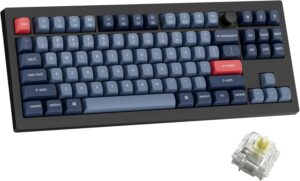
Keychron V3 Max
The expert consensus pick for the best mechanical keyboard, the Keychron V3 Max delivers an outstanding typing experience with gasket-mounted construction, hot-swappable switches, PBT keycaps, wireless tri-mode connectivity, full QMK/VIA programmability, and a rotary knob — all at a price that undercuts many competitors offering fewer features.
If you buy through our links, we may earn a commission. This doesn’t affect our recommendations.
Why It’s a Top Pick
The Keychron V3 Max — alongside its size variants, the V5 Max (1800 layout) and V6 Max (full-size) — dominates the mid-range mechanical keyboard space across expert sources. Wirecutter selects all three V Max models as Top Picks after spending months testing the most promising mechanical keyboards, praising their “sturdy cases, durable PBT keycaps, and smooth lubricated stabilizers” alongside features including RGB backlighting, hot-swappable switches, wireless connectivity, and full programmability. CNN Underscored names the V3 Max its Best Mechanical keyboard, with the reviewer calling it a keyboard that “truly sets you up for comfortable typing.” WIRED also selects the V3 Max as its Best Keyboard Overall.
RTINGS recommends the V5 Max variant as its Best Mid-Range keyboard, noting it “delivers many of the same features as the enthusiast-focused Keychron Q5 Max, but at a more affordable price.” Tom’s Guide takes a slightly different approach by selecting the newer Keychron V1 Ultra 8K as its best overall mechanical keyboard, though this is part of the same Keychron V-series family and shares core design DNA.
Notably, PCMag and RTINGS diverge from the broader Keychron consensus by selecting the Razer Pro Type Ultra (one of our runners-up) as their top mechanical keyboard. This reflects a legitimate difference in editorial priorities: PCMag values the Razer’s quiet operation and office-ready aesthetics, while most other sources prioritize the Keychron’s customizability, typing feel, and feature density at its price point.
What Experts Like
- Gasket-mounted construction with sound-absorbing foam delivers a satisfying, cushioned typing feel
- Hot-swappable switches support both three-pin and five-pin MX-style switches without soldering
- Tri-mode connectivity including 2.4 GHz wireless dongle, Bluetooth 5.1 (three devices), and wired USB-C
- Full QMK/VIA programmability through the intuitive browser-based Keychron Launcher
- Includes keycaps and layout support for both Windows and macOS with a convenient rear toggle switch
Trade-Offs to Consider
- Plastic case lacks the premium heft and aesthetics of aluminum-bodied alternatives
- Only available in black with gray, black, and red keycaps — limited color options
- Keychron’s one-year warranty covers defective parts replacement only, not the full keyboard
Runners-Up
The mechanical keyboard segment has strong alternatives depending on whether you prioritize office aesthetics, budget value, or premium build quality.
- Razer Pro Type Ultra — PCMag’s Best Mechanical Keyboard Overall and Best General-Use Keyboard, and RTINGS’ Best Upper Mid-Range Mechanical pick. This wireless keyboard is designed for office environments with quiet linear switches, a cushioned wrist rest, and a clean white-on-silver design. It trades the Keychron’s customization and hot-swap capability for a more refined, office-ready package.
- Keychron C3 Pro — The consensus budget mechanical keyboard, recommended by Wirecutter as Budget Pick and by PCMag as Best Budget Mechanical. It offers solid build quality, smooth stabilizers, and full VIA programmability at a remarkably low price point, though it comes with lower-quality ABS keycaps, lacks wireless connectivity, and the base model has only a red backlight.
- Evoworks Evo80 — Wirecutter’s Upgrade Pick for those willing to invest more. Its aluminum case, layers of sound-dampening material, and premium PBT keycaps deliver what Wirecutter describes as a keyboard that “feels and sounds incredible to type on.” Available in multiple colorways with a carrying case included, though it lacks a rotary knob and carries a higher price tag.
Best Gaming Computer Keyboard: Wooting 80HE
BEST GAMING COMPUTER KEYBOARD
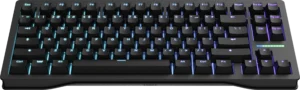
Wooting 80HE
The top-ranked gaming keyboard among expert testers, the Wooting 80HE delivers the lowest measurable latency of any keyboard tested by RTINGS, backed by Hall effect magnetic switches, true 8,000 Hz polling, best-in-class Wootility software, and a four-year warranty that leads the industry.
If you buy through our links, we may earn a commission. This doesn’t affect our recommendations.
Why It’s a Top Pick
The Wooting 80HE earns the Best Gaming spot through alignment between the two Primary sources with the deepest gaming keyboard testing programs. RTINGS names it the best gaming keyboard overall, noting it delivers “slightly better raw performance compared to the other keyboards on this list” and praising Wooting’s software as “widely regarded as best-in-class.” PC Gamer also ranks it number one, calling it the best gaming keyboard with “powerful Hall effect switches and excellent software to make the most of them.”
The keyboard’s Hall effect switches allow per-key actuation adjustment, and its Rapid Trigger feature activates and deactivates keys based on travel distance rather than fixed points — a meaningful advantage for first-person shooter (FPS) players who rely on precise strafing. RTINGS highlights Wooting’s “strong track record for long-term product support” with frequent performance updates and a four-year warranty, the longest of any manufacturer in this review.
A key tradeoff: the Wooting 80HE is wired only. For gamers who need wireless connectivity, PCMag and Tom’s Hardware both select the Asus ROG Strix Scope II 96 Wireless as their top gaming keyboard — a strong alternative that prioritizes versatility over pure competitive latency.
What Experts Like
- Hall effect magnetic switches with per-key adjustable actuation from 0.1 mm to 4.0 mm
- True 8,000 Hz (8K) polling with synchronized per-key scanning for approximately 0.125 ms input latency
- Wootility software supports Rapid Trigger, Simultaneous Opposing Cardinal Directions (SOCD), and true analog output
- Four-year warranty and consistent long-term firmware updates for older models
Trade-Offs to Consider
- Wired only — no Bluetooth or wireless connectivity option
- Sold exclusively through Wooting’s website and select authorized resellers
- The gasket mount implementation is on the stiffer side, resulting in a less cushioned typing feel compared to some competitors
Runners-Up
The gaming keyboard landscape is split between pure competitive performance and everyday versatility. These runners-up cover both perspectives.
- Asus ROG Strix Scope II 96 Wireless — PCMag’s Best Gaming Keyboard Overall and Tom’s Hardware’s Best Overall Wireless keyboard. Its 96% layout retains the number pad in a compact frame, and its tri-mode wireless connectivity with up to 1,500 hours of Bluetooth battery life makes it an excellent dual-purpose gaming and productivity board. PC Gamer also recommends it. The ROG NX Snow linear switches are pre-lubed and hot-swappable, though they lack the adjustable actuation of Hall effect alternatives.
- Lemokey P1 HE — RTINGS’ Best Work and Play and Best Mid-Range Gaming pick. This Hall effect keyboard combines wireless connectivity with outstanding aluminum build quality and excellent sound dampening. RTINGS praises its “smooth and stable” keystrokes and notes it delivers “latency levels well-suited for competitive play.” A strong choice for users who want one keyboard for both gaming and office use.
- Corsair K70 CORE — RTINGS’ Best Budget Gaming Keyboard. Available in both full-size and tenkeyless (TKL) versions, it offers factory-lubed Corsair MLX Red linear switches, a mix of aluminum and plastic construction, and RGB backlighting at an accessible entry-level price point. The switches are not hot-swappable, and it connects via wired USB only.
Best Budget Computer Keyboard: Logitech Pebble Keys 2 K380s
BEST BUDGET COMPUTER KEYBOARD
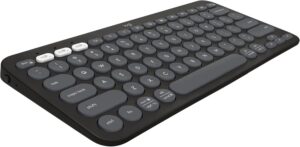
Logitech Pebble Keys 2 K380s
An ultra-compact and affordable wireless keyboard that pairs with up to three Bluetooth devices, offers up to 36 months of battery life on two AAA batteries, and delivers a surprisingly pleasant typing experience in a package small enough to toss in a backpack.
If you buy through our links, we may earn a commission. This doesn’t affect our recommendations.
Moderate Consensus Note: Expert sources diverge on what constitutes the best budget keyboard. Some prioritize compact wireless portability, while others favor budget mechanical keyboards with hot-swap and gasket-mounted designs. Our selection reflects the broadest cross-source alignment, but readers who prefer a mechanical typing experience should consider the AULA F99 runner-up below.
Why It’s a Top Pick
The Logitech Pebble Keys 2 K380s is selected by Wirecutter as its Best Budget keyboard and by CNN Underscored as its Best Budget pick, making it the budget keyboard with the broadest Primary-source alignment. RTINGS also includes it as a notable alternative to its cheap keyboard pick, praising it as “a highly versatile, portable option that’s hard to beat for its price” and “an outstanding choice if you want a keyboard for on-the-go use.”
Its multi-device Bluetooth pairing — connecting to up to three devices simultaneously with dedicated switching keys — makes it especially practical for users who move between a laptop, tablet, and phone throughout the day.
What Experts Like
- Multi-device Bluetooth pairing with up to three devices and dedicated switching keys
- Up to 36 months of battery life from two AAA batteries — among the longest in its class
- Ultra-compact, lightweight design that fits easily in a backpack or small workspace
Trade-Offs to Consider
- Circular keycaps and tighter key layout require an adjustment period for touch typists
- No backlighting, which limits visibility in low-light environments
- Membrane switches lack the tactile feedback and durability of mechanical alternatives
Runners-Up
- AULA F99 — RTINGS’ Best Budget keyboard (on its general keyboard list) and Best Budget Mechanical pick. For buyers who prefer a mechanical typing experience at a budget price, the AULA F99 offers a gasket-mounted design with hot-swappable switches, PBT keycaps, and wireless connectivity via Bluetooth or 2.4 GHz receiver. RTINGS notes it delivers “a soft, almost cushioned typing feel” with “a surprisingly pleasing sound straight out of the box,” though the plastic chassis feels cheaper and the software lags behind more established brands.
Best Ergonomic Computer Keyboard: Logitech Ergo K860
BEST ERGONOMIC COMPUTER KEYBOARD

Logitech Ergo K860
The most recommended ergonomic keyboard among the expert sources we consulted, the Logitech Ergo K860 combines a split-curved layout with a padded wrist rest and multi-device wireless connectivity in a design that closely resembles a standard keyboard — minimizing the learning curve that discourages many users from trying ergonomic options.
If you buy through our links, we may earn a commission. This doesn’t affect our recommendations.
Why It’s a Top Pick
The Logitech Ergo K860 is the consensus ergonomic keyboard pick among sources that actively test this segment. PCMag selects it as the Best Ergonomic Keyboard for Most Buyers. CNN Underscored names it the Best Ergonomic Keyboard after extensive hands-on testing. Engadget selects it as the Best Wireless Ergonomic Keyboard, noting that it “closely resembles standard, full-size keyboard designs” so there’s minimal transition difficulty for users switching from a traditional flat keyboard.
The keyboard’s split-curved design with center tenting and a cushioned palm rest encourages a more natural hand and wrist position than flat keyboards, which can help reduce strain during extended typing sessions. It connects via Bluetooth or USB receiver and supports multi-device pairing with Logitech’s Options+ software for key customization.
What Experts Like
- Split-curved layout promotes a more natural wrist and arm position than flat keyboards
- Padded wrist rest provides cushioned support during extended typing sessions
- Familiar full-size layout minimizes the learning curve compared to fully split ergonomic designs
Trade-Offs to Consider
- No backlighting, which limits usability in low-light environments
- Rubber dome (membrane) switches lack the tactile satisfaction and durability of mechanical alternatives
- Less adjustable than fully split ergonomic designs, which allow independent positioning of each half
Runners-Up
- Logitech Wave Keys — Wirecutter’s Best Ergonomic Keyboard and the Best Budget Ergonomic pick from both PCMag and CNN Underscored. Rather than a full split, the Wave Keys uses a wave-shaped keycap design that gently raises the center keys to encourage a more natural hand position. CNN Underscored’s reviewer noted an immediate improvement in hand comfort. It’s the most accessible entry point into ergonomic keyboards, with a cushioned wrist rest and a lower price point than the K860.
- Keychron Q11 — PCMag’s Best Ergonomic Keyboard with Hot-Swappable Key Switches. Certainly the strangest looking keyboard of the bunch, the Keychron Q11 is a fully split mechanical keyboard with an aluminum build, gasket mount, and VIA programmability. It’s designed for enthusiasts who want the health benefits of a split layout without sacrificing the typing feel and customization of a premium mechanical keyboard. The steep learning curve and higher price point make it better suited for committed users.
How to Choose the Right Computer Keyboard for You
Switch type is the most important decision you’ll make. Keyboards use three main switch technologies: membrane (rubber dome), mechanical, and magnetic (Hall effect). Membrane switches are quiet and affordable but offer less tactile feedback and durability. Mechanical switches use individual springs under each key for a more satisfying, customizable typing experience — they come in linear (smooth), tactile (bump), and clicky (bump plus audible click) varieties. Hall effect magnetic switches are the newest technology, using magnets rather than physical contacts to register keystrokes, enabling features like adjustable actuation points and Rapid Trigger that are particularly valued by competitive gamers.
Layout and size affect both comfort and desk space. Full-size keyboards (100%) include a number pad and all navigation keys, ideal for data entry and spreadsheet work but taking up the most desk space. Tenkeyless (TKL/80%) keyboards drop the number pad while keeping everything else. 75% layouts compress the navigation cluster further, and 60% boards eliminate the function row and arrows entirely. Ergonomic experts generally recommend smaller keyboards because they allow your mouse arm to sit in a more neutral position, reducing shoulder and neck strain.
Wireless connectivity has improved dramatically but still involves tradeoffs. Most modern wireless keyboards connect via Bluetooth, a 2.4 GHz USB receiver, or both. Bluetooth supports multi-device pairing (typically up to three devices) and is the most universal option. A 2.4 GHz receiver generally provides lower latency, which matters for gaming. Wired keyboards eliminate battery concerns and latency entirely, which is why the top competitive gaming keyboards remain wired. For office and general use, wireless is now reliable enough that most experts recommend it.
Hot-swappable switches let you customize without commitment. Hot-swap sockets allow you to pull out switches and snap in new ones without soldering. This feature, once exclusive to premium enthusiast boards, is now available across a wide range of price points. It’s particularly valuable if you’re new to mechanical keyboards and unsure which switch type you’ll prefer — you can start with one type and experiment with others over time.
Keycap material affects durability and feel over time. Keycaps are made from either ABS (acrylonitrile butadiene styrene) or PBT (polybutylene terephthalate) plastic. ABS keycaps are less expensive but develop a shiny, worn appearance over months of use. PBT keycaps are more durable, resistant to shine, and generally provide a more textured feel. Many expert sources specifically note keycap material as a quality differentiator, especially when comparing keyboards at similar price points.
Operating system compatibility matters more than you might expect. While most keyboards work with both Windows and macOS, the modifier key layout differs between the two operating systems. Keyboards that include keycaps and layout presets for both systems — and an easy physical toggle to switch between them — save you the hassle of remapping keys manually. This is particularly important for users who switch between a Mac and PC, or who use their keyboard with both a desktop and a tablet.
Programmability unlocks shortcuts, macros, and custom layouts. Many modern keyboards support key remapping, macro recording, and custom lighting through software. QMK and VIA are open-source firmware platforms that offer deep programmability through browser-based configurators, while manufacturers like Logitech, Razer, and Corsair provide their own proprietary software. If you frequently use keyboard shortcuts or want to customize key behavior, look for a keyboard that supports the level of programmability you need.
How We Make Our Recommendations
Our recommendations follow a documented, repeatable editorial process designed to prioritize expert agreement, comparability, and clarity.
For each category, we:
- Define clear category scope and exclusions
- Identify and vet independent expert review sources
- Inventory all products reviewed across those sources
- Analyze patterns of agreement and disagreement
- Apply editorial judgment only after consensus is documented
When a category includes materially different product types, we segment recommendations rather than forcing a single “best overall.” For more information, see How We Work.
Sources & Citations
Primary Sources
- CNN Underscored, I type for a living. Here are the 4 best keyboards that are actually comfortable, April 2026
- CNN Underscored, The best ergonomic keyboards of 2026, tested by editors, Jan. 2026
- PC Gamer, Best gaming keyboards in 2026: we’ve tested the latest Hall effect, mechanical, TKL, 60% and more, March 2026
- PCMag, The Best 60% Keyboards for 2026, May 2025
- PCMag, The Best Ergonomic Keyboards for 2026, April 2026
- PCMag, The Best Gaming Keyboards for 2026, June 2025
- PCMag, The Best Keyboards for 2026, April 2026
- PCMag, The Best Mac Keyboards for 2026, Dec. 2025
- PCMag, The Best Mechanical Keyboards for 2026, Feb. 2026
- Reviewed, The Best Gaming Keyboards of 2026, June 2024
- Reviewed, The Best Wireless Keyboards of 2026, April 2024
- RTINGS, The 6 Best Budget And Cheap Keyboards of 2026, March 2026
- RTINGS, The 6 Best Gaming Keyboards of 2026, March 2026
- RTINGS, The 6 Best Keyboards of 2026, March 2026
- RTINGS, The 7 Best Mechanical Keyboards of 2026, March 2026
- TechGearLab, 10 Best Keyboards, June 2025
- Tom’s Guide, The best mechanical keyboards in 2026: We reviewed 100+ models to find the best ‘thock’, March 2026
- Tom’s Hardware, Best Budget Mechanical Keyboards 2026: Our tested picks under $100, Jan. 2026
- Tom’s Hardware, Best Wireless Keyboards 2026: Our Tested Picks for Gaming, Typing, and Traveling, April 2026
- Wirecutter, The Best Keyboards, Oct. 2025
- Wirecutter, The Best Mechanical Keyboards, Jan. 2026
Secondary Sources Consulted for Context
- CNET, Best Keyboard for 2026, Sept. 2024
- Engadget, The best ergonomic keyboards for 2026, Feb. 2026
- Engadget, The best keyboards for 2026, March 2026
- IGN, The Best Gaming Keyboards in 2026, March 2026
- TechRadar, The best keyboard in 2025: my curated picks for gaming, work, wrist pain, and more, Nov. 2025
- Windows Central, Best keyboards in 2026: Ergonomic typing, mechanical gaming, and more to fit your budget, Feb. 2026
- WIRED, The Best Keyboards for Work and Play, Aug. 2025
Additional Sources Reviewed
- Lifewire, The 10 Best Mechanical Keyboards of 2026, March 2026
Updates & Ongoing Review
This review is monitored on an ongoing basis. We update recommendations when expert sources publish new test results, products are discontinued, or consensus meaningfully changes.
Version History
- 2026-05-12 — Initial publication