
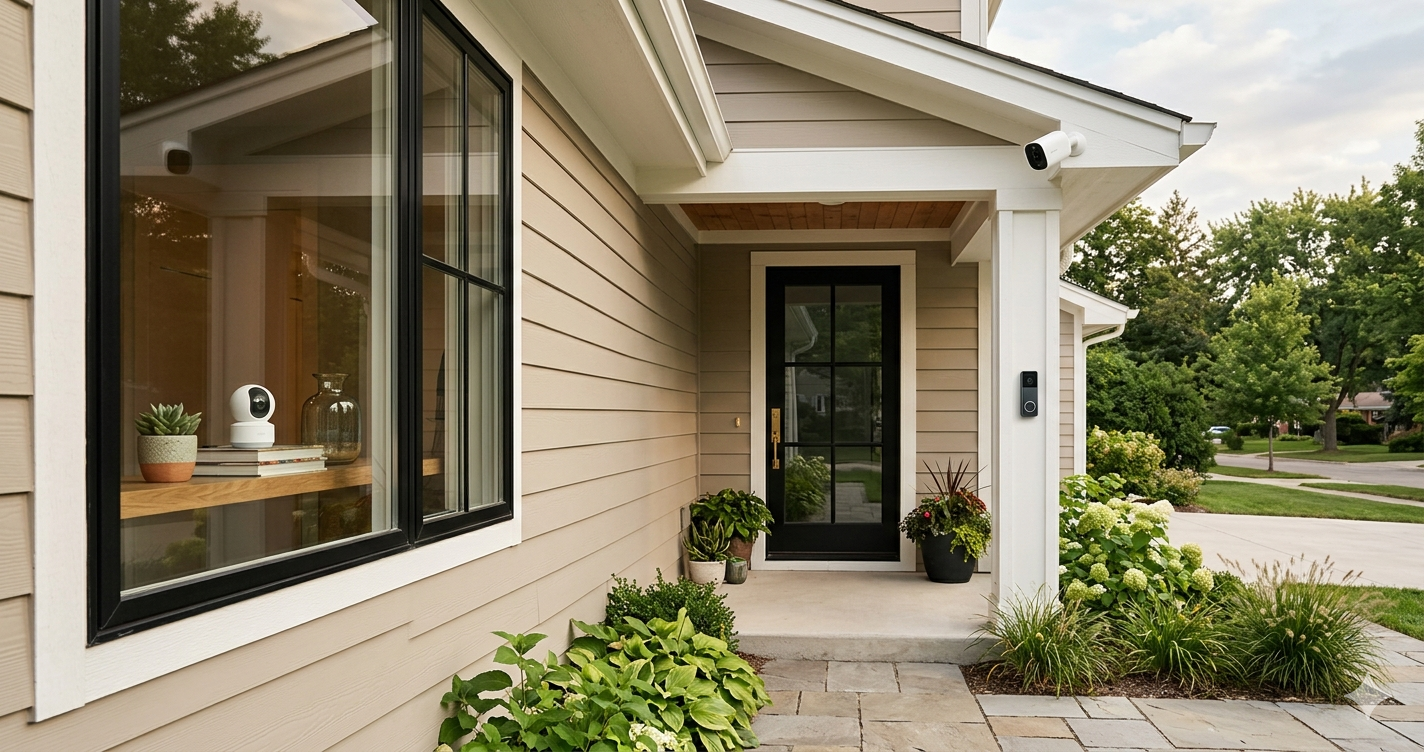
A practical guide to choosing between indoor cameras, outdoor cameras, and smart doorbell cameras — based on what expert reviewers consistently recommend.

By: Michael Kuzma, Editor-in-Chief
Last Updated: May 2026
Home security cameras seem simple until you start shopping for one. Then suddenly you’re comparing field-of-view angles, deciphering cloud storage tiers, Googling whether you need a floodlight camera, and questioning whether your doorbell has ever really been pulling its weight.
The market breaks into three main types: indoor cameras, outdoor cameras, and smart doorbell cameras. They all record video. They all send alerts to your phone. And they all require you to make at least one decision about subscriptions that will mildly annoy you. But they serve different purposes, and buying the wrong type for your situation means either gaps in coverage or money spent on capabilities you didn’t need.
After reading through what sources like Consumer Reports, Wirecutter, RTINGS, and others have to say about each type, a few things are clear. Most homes don’t need all three. Many are well served by one or two cameras in the right spots. And the subscription model you’re comfortable with matters almost as much as the camera itself.
Start Here: What Are You Actually Trying to Do?
Security cameras mean different things to different people. Before you pick a type, figure out what problem you’re solving.
Do you want to monitor inside your home? Checking on pets, watching a baby’s room, keeping an eye on things while you’re traveling. That’s an indoor camera. They’re designed for it, they’re easy to set up, and they don’t need to survive weather.
Do you want to watch your yard, driveway, or property perimeter? That’s an outdoor camera. They’re weatherproof, often battery-powered, and built to cover larger areas. Some have floodlights. Some pan and tilt. The range is wide.
Do you mainly care about who’s at your front door? That’s a doorbell camera. They replace or supplement your existing doorbell, show you who’s there whether you’re home or not, and catch package deliveries. For a lot of people, this is honestly the only camera they need.
Are you worried about break-ins specifically? Then you probably want outdoor cameras covering entry points (doors, ground-floor windows, garage) plus a doorbell camera at the front. Indoor cameras are optional in this scenario unless you want verification footage of someone already inside, which is useful but also means things have already gone pretty wrong.
Indoor Security Cameras
Best for: Pet monitoring, baby rooms, checking on your home while traveling, and general peace of mind when you’re not there.
Indoor cameras are the simplest category. They sit on a shelf or mount to a wall, connect to your Wi-Fi, and stream video to your phone. Most have two-way audio so you can yell at your dog for being on the couch (she won’t care, but you’ll feel better). The good ones have smart detection that can tell the difference between a person, a pet, and a shadow, so you’re not getting alerts every time the sun moves.
Setup is genuinely easy. Plug it in, download the app, connect to Wi-Fi, done. No wiring, no drilling, no calling anyone. If you can charge a phone, you can set up an indoor camera.
The main decision point is storage. Some cameras give you a few hours of free cloud storage for motion-triggered clips. Others offer local storage via microSD card. And almost all of them would really, really like you to pay for a monthly cloud subscription for longer history. This is the business model now. The camera is the foot in the door. The subscription is where they make their money.
If the subscription thing bothers you, look for cameras with local storage options. You’ll sacrifice some convenience (no cloud access to clips if your home network is down), but you’ll own your recordings without a monthly fee.
Who should skip them: Anyone whose main concern is outdoor security. Indoor cameras aren’t weatherproof and aren’t designed to cover the distances involved in monitoring a yard or driveway. They’re also not a substitute for a doorbell camera if knowing who’s at your front door is the priority.
For specific models and expert consensus picks, see our full Best Indoor Security Cameras review.
Outdoor Security Cameras
Best for: Monitoring driveways, yards, garages, side entrances, and anywhere outside your home where you want eyes.
Outdoor cameras are where the category gets more complicated, because “outdoor” covers a lot of ground. Literally. You’ve got battery-powered cameras you can stick anywhere, wired cameras that need a power source, floodlight cameras that replace an existing light fixture, and pan-and-tilt cameras that can track movement across a wide area. They’re all outdoor cameras, but they solve different problems.
Battery-powered cameras are the most flexible. Stick them anywhere with a magnetic mount, and they’ll run for months (sometimes years) on a charge. The trade-off is that they only record when triggered by motion, not continuously, and battery life drops in cold weather or high-traffic areas. Great for covering spots where running a wire isn’t practical.
Wired cameras need a power source but deliver continuous recording, higher resolution, and no battery anxiety. If you’re covering a driveway or a main entry point that you want monitored 24/7, wired is the way to go.
Floodlight cameras combine a security camera with a bright motion-activated light. They require hardwired installation to a junction box, so they’re not a casual weekend project for everyone. But if you already have a floodlight over your garage or back door, swapping it for a floodlight camera is a pretty smart upgrade.
The subscription question is even more relevant outdoors because cloud storage and AI-powered alerts (person detection, package detection, vehicle detection) are often locked behind a paywall. Some brands, like Eufy, lean heavily into local storage to avoid this. Others, like Ring and Google, assume you’ll subscribe. Know which approach you prefer before you buy, because switching ecosystems later is a pain.
One more thing: ecosystem lock-in is real. If your indoor cameras are Google Nest, your outdoor cameras probably should be too, because managing two separate apps for the same purpose gets old fast. Pick your ecosystem early and stick with it.
Who should skip them: Renters who can’t install anything permanent (though battery-powered models with magnetic mounts are renter-friendly). Also anyone whose only concern is the front door, where a doorbell camera is a simpler, more purpose-built solution.
For specific models and expert consensus picks, see our full Best Outdoor Security Cameras review.
Smart Doorbell Cameras
Best for: Seeing who’s at your door, catching package deliveries, and covering the front of your home without a separate camera.
Doorbell cameras are the security camera most people should buy first. Not because they’re the most capable, but because the front door is where the most useful stuff happens. You see deliveries arrive, you know when someone’s at the door whether you’re home or not, you can talk to visitors through your phone, and you get a recording of anyone who approaches your house. For a single-camera setup, it’s the highest-value placement.
There are two styles: wired and battery-powered. Wired doorbells connect to your existing doorbell wiring, which keeps the battery charged and enables features like continuous recording. Battery-powered models install anywhere (no wiring needed) but only record when triggered, and you’ll need to recharge them every few months. If you have existing doorbell wiring, wired is the better option. If you don’t, battery models work fine but with trade-offs.
The video quality on modern doorbell cameras is surprisingly good. Most record in 2K with wide-angle lenses designed to capture a head-to-toe view of whoever’s standing there. Some even have dual cameras that simultaneously capture a person’s face and packages on the ground, which is clever and actually useful.
The biggest gotcha is privacy ratings. Not all doorbell cameras handle your data the same way. Consumer Reports has flagged at least one popular budget model with a very low data privacy score, which is worth checking before you buy something that records everyone who approaches your home. Local storage options (like the Eufy models with built-in eMMC storage) sidestep this by keeping your footage on the device rather than in someone’s cloud.
Who should skip them: Anyone who already has an outdoor camera covering the front door area (there’s overlap, and you don’t need both). Also anyone in an apartment or rental where you can’t modify the doorbell, though some battery-powered models work with adhesive mounts that don’t require any modification at all.
For specific models and expert consensus picks, see our full Best Smart Doorbell Cameras review.
How Many Cameras Do You Actually Need?
Fewer than you think. The security camera industry would love you to cover every angle of your property like a casino floor, but for most homes, two or three well-placed cameras cover the important stuff.
Minimal setup (1 camera): A doorbell camera. Covers the front door, catches deliveries, and records anyone who approaches. For apartments and smaller homes, this might be all you need.
Standard setup (2-3 cameras): A doorbell camera plus one or two outdoor cameras covering the backyard or driveway. This handles the most common entry points and gives you a solid record of activity around your home.
Full coverage (4+ cameras): Doorbell, outdoor cameras on multiple sides, and an indoor camera or two. This is for larger properties or people who want comprehensive coverage. It also means managing more devices, more storage, and more notifications, so be ready for that.
The common mistake is buying too many cameras upfront and then getting overwhelmed by notifications and app management. Start with the highest-value placement (usually the front door), live with it for a month, and then add cameras where you find actual gaps. You’ll end up with a better setup than if you try to plan everything at once.
What Matters Less Than You Think
A few things that get prominent billing in marketing materials but that expert reviewers consistently treat as secondary:
4K resolution. It sounds impressive, but 2K is plenty for identifying faces and reading license plates, which is what security footage is actually for. 4K files are also significantly larger, which means more storage costs and more bandwidth. Most experts consider 2K the sweet spot.
Color night vision. Nice to have, but standard infrared night vision does the job for security purposes. Color night vision requires some ambient light to work, so in truly dark conditions it falls back to infrared anyway. Don’t pay a premium for it unless you really want color footage at night.
Two-way audio quality. Every security camera has two-way audio now. It all sounds like you’re talking through a walkie-talkie. The differences between cameras are marginal, and you’re mostly using it to tell the delivery driver to leave the package by the door.
AI detection categories. Person detection is useful. Package detection is useful. Animal detection is useful if you have pets. Vehicle detection is situational. “Facial recognition” sounds cool but rarely works well enough to rely on. Don’t pick a camera based on how many detection categories it lists. Pick it based on whether the ones you’ll actually use work reliably.
For expert consensus picks in each category, including specific model recommendations, trade-offs, and how the major review sources compare, see our detailed reviews: