
Best Printers (Expert Consensus)
Last reviewed: 2026-05-24
(This page is updated periodically as expert recommendations and market conditions change.)
Disclosure: This page contains affiliate links. If you buy through our links, we may earn a commission. This does not influence our recommendations or rankings.
Category Overview & Market Context
What This Category Is
Home printers convert digital documents and images into physical copies for personal, educational, and home-office use. The category spans three core technologies: laser printers, which use toner for fast and reliable text output; traditional inkjet printers, which spray liquid ink for versatile color and photo printing; and ink tank printers, a newer class of inkjet that replaces disposable cartridges with refillable reservoirs for dramatically lower per-page costs.
Most modern home printers are multifunction (all-in-one) devices that combine printing with scanning, copying, and sometimes faxing. This review covers inkjet printers (cartridge and tank), laser printers (monochrome and color), all-in-one models, and dedicated photo printers for home and small-office use. It does not cover large-format printers, commercial multifunction devices, 3D printers, label printers, or portable pocket photo printers.
State of the Market
The home printer market has shifted meaningfully in recent years. Ink tank printers — led by Epson’s EcoTank line — have emerged as a dominant force in the general-purpose home segment, offering per-page printing costs that are a fraction of what traditional cartridge inkjets charge. Multiple expert sources now recommend ink tank models as the best overall home printer for most buyers, a significant change from the cartridge-dominated landscape of just a few years ago.
In the laser segment, Brother continues to dominate expert recommendations across virtually every source we consulted, offering a range of monochrome and color models that balance speed, reliability, and reasonable operating costs. The dedicated photo printer segment remains a niche category serving photography enthusiasts, with Epson and Canon as the primary competitors.
A recurring concern across expert sources is the issue of manufacturer lock-in through firmware updates that block third-party ink and toner, subscription-based printing programs, and connectivity requirements that tie printer functionality to internet access. These practices are particularly associated with HP’s Instant Ink program and dynamic security features, though other manufacturers have adopted similar approaches.
Who This Is For / Not For
This review is for anyone who prints at home — whether occasionally for school forms and shipping labels, regularly for a home office, or frequently for photo projects. If you print fewer than a handful of pages per month, a basic monochrome laser printer offers the lowest hassle and most reliable performance. If you print more frequently and need color, an ink tank all-in-one provides the best long-term value. And if you’re a photography enthusiast who wants gallery-quality prints, a dedicated photo printer is a worthwhile investment.
This review is not intended for buyers seeking commercial or enterprise printing solutions, large-format or wide-format output, or specialty devices like label or receipt printers.
How This Review Was Produced
This review is based on expert consensus rather than a single reviewer’s opinion.
We analyze and synthesize recommendations from multiple independent expert review sources that meet our editorial quality and transparency standards. We document where experts agree, where they differ, and why. No single source determines our recommendations.
We do not conduct original product testing. Instead, we rely on experts who do — such as publications that perform hands-on testing, lab measurements, or clearly documented evaluation methodologies.
Manufacturers do not influence our recommendations. Advertising, affiliate relationships, or commercial considerations do not affect which products are included, how they are ranked, or how they are described.
When helpful, we also consult additional secondary review outlets to understand how broader expert opinion aligns — or conflicts — with the primary consensus. These secondary sources do not determine winners but may provide context or confirmation.
Top Picks at a Glance
Best Overall
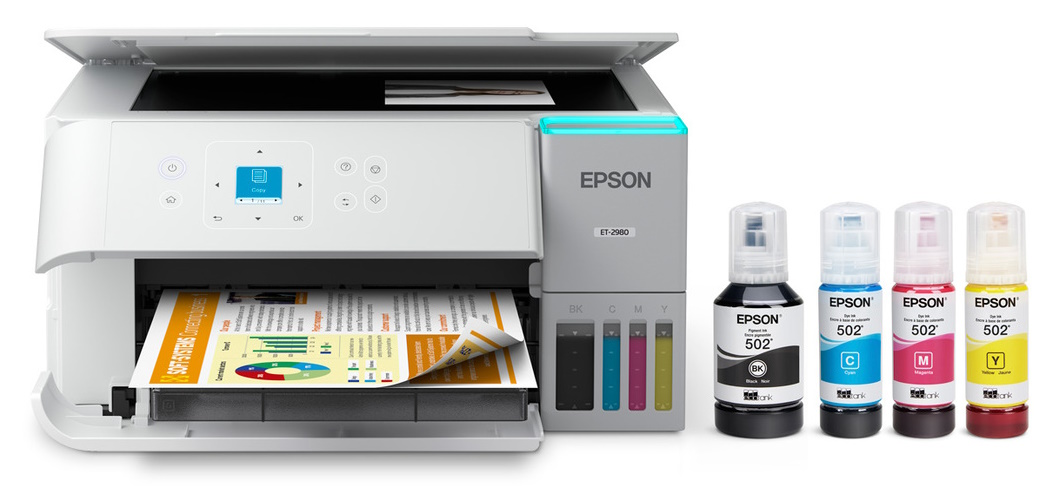
Epson EcoTank ET-2980
Backed by three Primary sources as a top home printer pick, this ink tank all-in-one delivers ultra-low operating costs, solid print quality, and a flatbed scanner in a compact package
Best Laser Printer
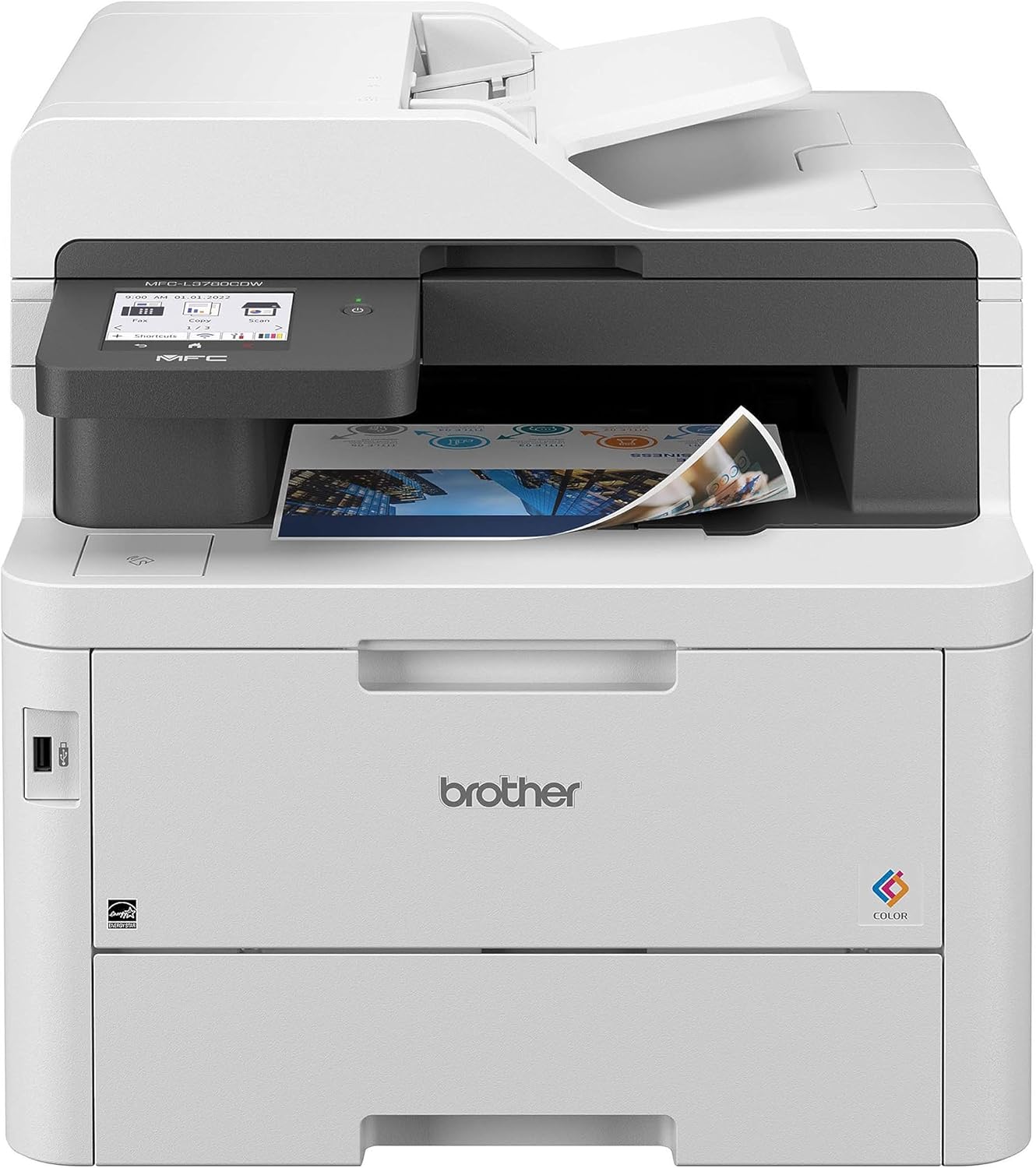
Brother MFC-L3780CDW
The strongest consensus pick in this review, endorsed by four Primary sources for its fast color printing, sharp text, and business-grade security features.
Best Budget Printer
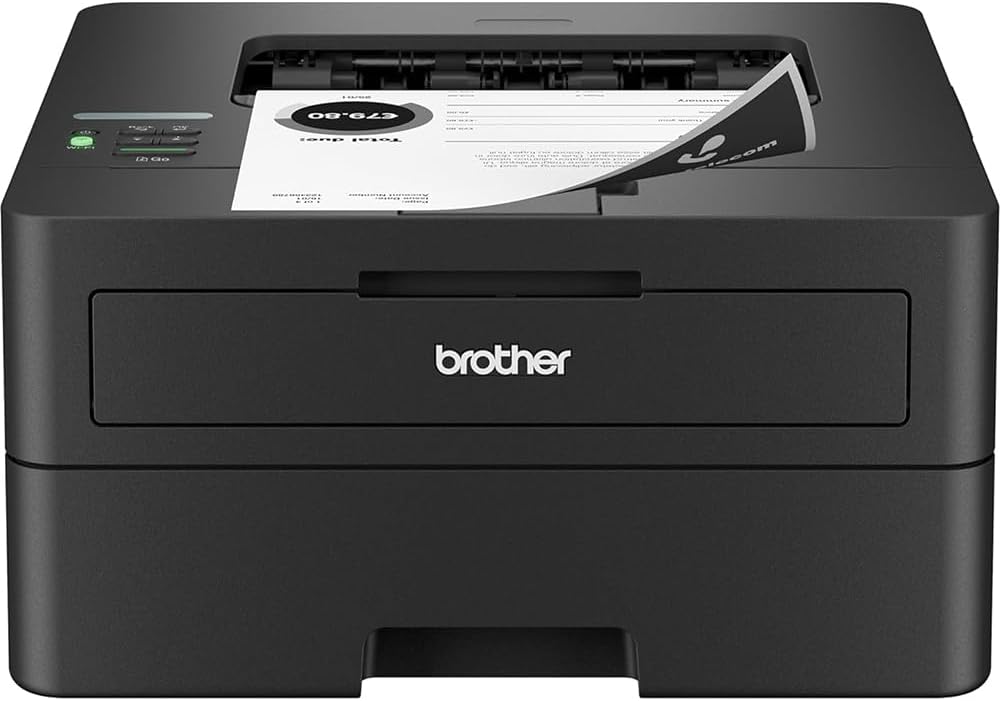
Brother HL-L2460DW
A no-frills monochrome laser that two Primary sources recommend for buyers who want reliable text printing at the lowest possible entry cost.
Best Photo Printer
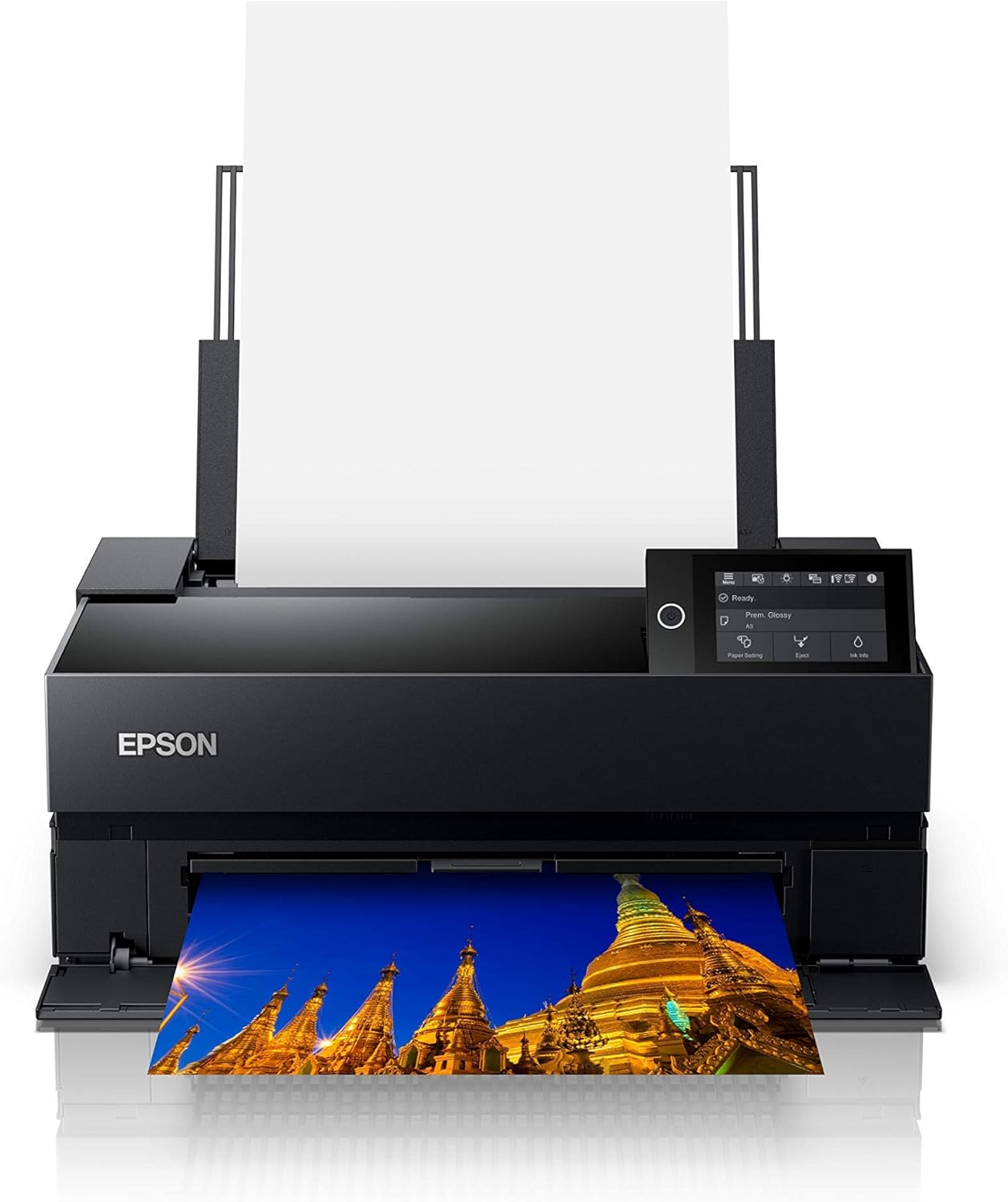
Epson SureColor P700
The dedicated photo printer of choice for serious photographers, producing gallery-quality pigment-ink prints up to 13 inches wide with exceptional color accuracy.
Top Picks in Detail
Below are our recommendations explained in more depth, including why experts agree and where each pick has trade-offs.
Best Overall: Epson EcoTank ET-2980
BEST OVERALL
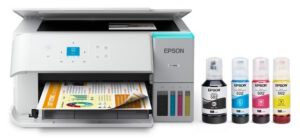
Epson EcoTank ET-2980
Three Primary sources select this ink tank all-in-one as a top home printer. Its refillable ink system delivers per-page costs that are a fraction of traditional cartridge printers, with enough ink included to print thousands of pages before a refill is needed. Powered by PrecisionCore Heat-Free technology, the ET-2980 prints 50% faster than its predecessor while including auto duplex printing and a flatbed scanner.
If you buy through our links, we may earn a commission. This doesn’t affect our recommendations.
Moderate Consensus Note: This pick reflects Moderate Consensus. Three of our 10 Primary sources select this model as a top home printer pick, and multiple additional sources recommend other Epson EcoTank models in the same product family. However, sources diverge on which specific Epson EcoTank model is the best overall, and two Primary sources recommend the Brother INKvestment MFC-T780DW as their top ink tank choice instead. The ink tank approach itself commands broad expert agreement; the model-level consensus is narrower.
Why It’s a Top Pick
The Epson EcoTank ET-2980 represents the clearest expression of the ink tank revolution that has transformed expert printer recommendations. PCMag selects it as Best All-in-One Printer for Homes, WIRED names it Best Printer for Most People, and RTINGS rates it as their Best Mid-Range Home Printer. This cross-source endorsement reflects the ET-2980’s ability to address the frustrations that have long plagued home printing: high ink costs, unreliable cartridge systems, and printers that feel designed to extract ongoing revenue rather than deliver value.
The ET-2980 ships with enough ink to print up to 6,600 black or 5,500 color pages, and replacement ink bottle sets cost a fraction of what traditional cartridge replacements demand. Epson estimates each set of ink bottles is equivalent to approximately 80 individual cartridges. The printer uses a permanent printhead engineered to last the life of the device, and its PrecisionCore Heat-Free technology eliminates the warm-up cycles associated with thermal inkjet printers.
As a multifunction device, the ET-2980 includes printing, scanning, and copying capabilities with automatic duplex (two-sided) printing. It connects via Wi-Fi and is compatible with mobile printing through the Epson Smart Panel app, Apple AirPrint, and other platforms.
What Experts Like
- Ultra-low per-page printing costs that can save hundreds of dollars over the printer’s lifetime compared to cartridge-based alternatives
- Included ink supply lasts up to three years for average home use, reducing the frequency and expense of refills
- Solid print quality for both documents and casual photo printing, with auto duplex for two-sided output
- Compact design relative to its feature set, fitting comfortably on a desk or shelf
Trade-Offs to Consider
- No automatic document feeder (ADF), which means multi-page scanning and copying requires placing each page individually on the flatbed
- Print speeds are slower than laser printers, particularly for color output
- Higher upfront cost than basic cartridge inkjets, though the savings on ink offset this over time
- No fax capability, which may matter for some home-office users
Runners-Up
The ink tank segment features strong alternatives that may be a better fit depending on your specific needs.
- Brother INKvestment MFC-T780DW — Wirecutter’s Best Ink-Tank AIO pick and Tom’s Guide’s Best Overall printer, this Brother model offers even lower per-page costs and a three-year warranty — the longest of any printer in this review. However, it is more expensive upfront, prints color pages very slowly, and lacks fax capability.
- Epson EcoTank ET-3950 — PCMag’s Best AIO for Home Offices and RTINGS’ Best Upper Mid-Range pick, this step-up model adds an automatic document feeder, auto-duplex scanning, and a larger touchscreen display. It is a stronger choice for home-office users who regularly scan or copy multi-page documents.
Best Laser Printer: Brother MFC-L3780CDW
BEST LASER PRINTER
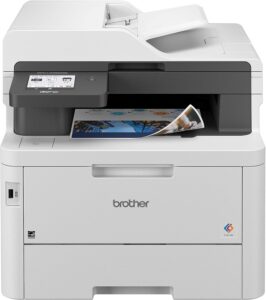
Brother MFC-L3780CDW
The strongest consensus pick in this review, selected by four Primary sources as a top color laser all-in-one. It prints sharp text at up to 31 pages per minute, scans and copies double-sided documents, and includes business-grade security features including NFC badge authentication. A reliable workhorse for home offices and small businesses.
If you buy through our links, we may earn a commission. This doesn’t affect our recommendations.
Why It’s a Top Pick
The Brother MFC-L3780CDW commands the strongest cross-source consensus of any product in this review. Wirecutter selects it as their Best Color All-in-One Laser Printer, PCMag names it Best Color Laser All-in-One, and Tom’s Guide recommends it as the Best Laser AIO for Small Business. Forbes Vetted, a Secondary source, also names it Best Home Office Printer.
This level of agreement reflects the MFC-L3780CDW’s position as the most complete color laser available at its price point. It combines fast print speeds, sharp text quality, and a comprehensive feature set that includes faxing, duplex scanning and copying, and advanced security features. Wirecutter notes that text quality rivals the best inkjets, and PCMag praises its combination of speed, quality, and feature depth.
The MFC-L3780CDW’s security features — including firmware encryption, directory authentication, hold-print capability, and an integrated NFC card reader — distinguish it from consumer-grade printers and make it suitable for home offices handling sensitive documents.
What Experts Like
- Fast printing with sharp, smudge-free text output
- Comprehensive all-in-one feature set including color printing, scanning, copying, and faxing with duplex capability
- Business-grade security features not found on consumer printers, including NFC badge authentication and role-based access
- Toner cartridges do not clog or dry out when the printer sits unused, unlike inkjet alternatives
Trade-Offs to Consider
- Replacement toner is expensive upfront, with a full set of super-high-yield cartridges representing a significant investment
- Color images appear flatter and less saturated than inkjet output, making this printer less suitable for photo printing
- Scan quality is adequate for business documents but does not match what dedicated scanners or inkjet all-in-ones can achieve
- Only a one-year warranty despite its business-class positioning, though Brother offers extended warranty options
Runners-Up
- Brother DCP-L2640DW — Wirecutter’s Top Pick for best laser printer overall and best cheap laser. A simple, dependable monochrome laser for casual home use with low operating costs. It prints only in black and white and cannot fax, but it is significantly less expensive and ideal for buyers who just need reliable text printing.
- Brother MFC-L2900DW — PCMag’s Best Mono Laser All-in-One and Wirecutter’s pick for Best Monochrome Printer for Scanning and Faxing. This model adds fax capability and single-pass duplex scanning to the basic mono laser package, making it a strong choice for home offices that need those features but can forgo color printing.
Best Budget Printer: Brother HL-L2460DW
BEST BUDGET PRINTER
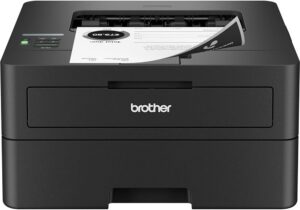
Brother HL-L2460DW
Two Primary sources recommend this compact monochrome laser as the best entry-level printer for buyers who want reliability and low operating costs at an affordable upfront price. Toner does not dry out between uses, and the printer delivers crisp text at speeds up to 36 pages per minute.
If you buy through our links, we may earn a commission. This doesn’t affect our recommendations.
Moderate Consensus Note: This pick reflects Moderate Consensus. Two of our 10 Primary sources select this specific model, and additional sources recommend closely related models in the same Brother monochrome laser family (including the DCP-L2640DW and HL-L2390DW). Expert sources broadly agree that a budget Brother monochrome laser is the best entry-level approach; the specific model recommendation varies.
Why It’s a Top Pick
The Brother HL-L2460DW earns its position through endorsements from RTINGS, which selects it as Best Budget Home Printer, and WIRED, which names it Best Black-and-White Laser Printer. Wirecutter previously recommended this model before switching to the closely related DCP-L2640DW, which adds scanning capability.
The appeal of a budget mono laser is straightforward: it prints text quickly and crisply, operates at low per-page costs, and — critically — does not clog or dry out when left unused for weeks or months between print jobs. This makes it ideal for households that print infrequently but need a printer that works immediately when called upon.
What Experts Like
- Toner does not clog or dry out between uses, eliminating the maintenance headaches common with inkjet printers
- Fast print speeds of up to 36 pages per minute with sharp, clear text output
- Low per-page operating costs, with high-yield toner cartridges that last thousands of pages
- Compact footprint suitable for small desks and shelves
Trade-Offs to Consider
- Prints only in black and white, with no color capability
- Print-only device with no scanner, copier, or fax functionality
- Graphics and images are a mixed bag, with potential banding on large visuals
Runners-Up
- Canon PIXMA MG3620 — RTINGS’ Best Cheap Home Printer pick, this ultra-affordable inkjet all-in-one is for buyers who need color printing on the tightest possible budget. It includes scanning and copying and supports wireless printing. However, its ongoing ink costs are substantially higher than laser alternatives, and consumer satisfaction ratings are lower. Note: This model has been discontinued from Canon’s direct sales channel but remains widely available at major retailers including Best Buy, Walmart, and Amazon.
- Brother MFC-J1360DW — Consumer Reports’ pick for Best Inkjet Printer for a Super-Tight Budget. An affordable inkjet all-in-one with color printing, scanning, copying, and fax capability. Its upfront cost is low, though ongoing cartridge ink costs are higher than both laser and ink tank alternatives.
Best Photo Printer: Epson SureColor P700
BEST PHOTO PRINTER
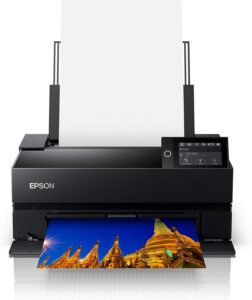
Epson SureColor P700
Wirecutter’s Top Pick for serious photographers, this dedicated 13-inch photo printer produces gallery-quality prints using 10-color UltraChrome PRO pigment inks designed to last up to 200 years in color. It features a color touchscreen, roll-paper feed for panoramic prints, and a transparent viewing panel.
If you buy through our links, we may earn a commission. This doesn’t affect our recommendations.
Moderate Consensus Note: This pick reflects Moderate Consensus. Among Primary sources, Wirecutter provides the deepest evaluation of dedicated photo printers and selects this model as its Top Pick. NBC Select (a Secondary source) also recommends the Epson SureColor line for photographers. Most other Primary sources either do not cover dedicated photo printers or define the category to include consumer all-in-ones with photo capabilities, which are covered in our Best Overall Home Printer segment.
Why It’s a Top Pick
The Epson SureColor P700 is Wirecutter’s Top Pick for best photo printer, selected after extensive testing against competitors from Canon and Epson. Wirecutter praises the P700 for consistently delivering beautiful, high-quality color and black-and-white prints that accurately reflect the original image across a wide variety of media types.
The P700 uses Epson’s UltraChrome PRO10 pigment ink system with 10 individual ink colors, producing prints intended to last up to 200 years in color and 400 years in monochrome. It prints on media up to 13 inches wide and up to 1.5mm thick, and includes a built-in roll-paper feed for panoramic prints up to 129 inches long.
Wirecutter notes that the P700’s black-and-white output is particularly impressive — as close to traditional darkroom prints as you can achieve at home. The printer’s 4.3-inch tilting color touchscreen makes maintenance and printing adjustments more intuitive than competing models that rely on physical buttons.
What Experts Like
- Exceptional color accuracy and tonal range, with 10-color pigment ink system for gallery-quality output
- Archival-quality pigment inks with print permanence rated at up to 200 years in color
- Wide media compatibility including glossy, matte, metallic, fine art papers, and roll paper for panoramic prints
- Color touchscreen interface that is more intuitive than competitors’ physical-button controls
Trade-Offs to Consider
- Carries a significant price premium as a dedicated photo device with no general document-printing utility
- Ships with partially filled starter ink cartridges, requiring an early and expensive ink purchase
- Paper feed can be finicky, particularly with glossy media, sometimes requiring one sheet at a time
- Driver installation and ongoing maintenance (firmware updates, nozzle checks) require patience and technical comfort
Runners-Up
- Canon Pixma PRO-200S — Wirecutter’s Budget Photo Pick, this 13-inch printer produces vibrant prints at a lower price than the P700. Its dye-based inks create eye-catching colors but may not last as long as the P700’s pigment inks. A good choice for photographers who prioritize vivid color output and want to spend less upfront.
- Epson SureColor P900 — Also recommended by Wirecutter as a wide-format upgrade. This 17-inch model uses the same pigment ink system as the P700 and delivers equally excellent print quality on a larger canvas. It is the choice for photographers who regularly produce exhibition-size work or sell large prints.
How to Choose the Right Printer for You
Decide between laser, inkjet, and ink tank technology first. Laser printers are fastest and most reliable for text-heavy printing, and their toner does not dry out between uses. Ink tank printers offer the lowest per-page costs and good all-around quality for both documents and photos. Traditional cartridge inkjets are the cheapest to buy but the most expensive to operate and maintain over time.
Think about total cost of ownership, not just purchase price. Expert sources consistently emphasize that the upfront price of a printer is often the smallest part of its total cost. Ink and toner replacement costs, maintenance cycles, and cartridge waste add up quickly. Consumer Reports estimates that a typical inkjet owner might spend more per year on cartridges than they paid for the printer itself. Ink tank printers and laser printers both offer significantly lower ongoing costs.
Consider how often you print and what happens when you don’t. If you print infrequently, a laser printer is the safest choice because toner does not clog or dry out during periods of inactivity. Inkjet and ink tank printers can develop clogged printheads if left unused for extended periods, requiring cleaning cycles that waste ink.
Evaluate subscription programs carefully. Several manufacturers offer ink and toner subscription services, including HP’s Instant Ink and Brother’s Refresh EZ Print. These programs can simplify supply management and may lower per-page costs for high-volume users. However, some programs require your printer to remain internet-connected at all times and may restrict your ability to use third-party supplies. Read the terms before committing.
Be aware of manufacturer lock-in practices. Multiple expert sources flag the practice of firmware updates that block third-party ink and toner cartridges. This practice is particularly associated with HP’s “dynamic security” feature but is not limited to a single manufacturer. If the freedom to choose your own supplies is important to you, research a printer’s cartridge policies before purchasing.
Match the printer to your actual needs. A full-featured color laser all-in-one may be overkill if you only print occasional shipping labels. Conversely, a basic mono laser will not serve you well if you regularly print color presentations or photos. Our segments are designed to help you identify which type of printer matches your usage pattern: the Best Overall pick for general home use, the Best Laser Printer for home offices, the Best Budget Printer for minimum investment, and the Best Photo Printer for photography enthusiasts. For organizing and labeling beyond standard printing, see our label maker picks.
How We Make Our Recommendations
Our recommendations follow a documented, repeatable editorial process designed to prioritize expert agreement, comparability, and clarity.
For each category, we:
- Define clear category scope and exclusions
- Identify and vet independent expert review sources
- Inventory all products reviewed across those sources
- Analyze patterns of agreement and disagreement
- Apply editorial judgment only after consensus is documented
When a category includes materially different product types, we segment recommendations rather than forcing a single “best overall.” For more information, see How We Work.
Sources & Citations
Primary Sources
- CNET, Best Printer for Your Home or Office in 2026: Tested by Our Experts, Dec. 2025
- CNN Underscored, The best printers of 2026, tested by editors, Jan. 2026
- Consumer Reports, 5 Best Printers of 2026, Tested and Reviewed, Feb. 2026 [subscription required]
- Consumer Reports, Printer Buying Guide, Feb. 2026 [subscription required]
- Consumer Reports, Printers Ratings & Reviews [subscription required]
- Consumer Reports, Printers Ratings & Reviews [subscription required]
- PCMag, The Best All-in-One Printers for 2026, April 2026
- PCMag, The Best Cheap Printers for 2026, March 2026
- PCMag, The Best Inkjet Printers for 2026, May 2026
- PCMag, The Best Laser Printers for 2026, May 2026
- PCMag, The Best Photo Printers for 2026, May 2026
- PCMag, The Best Printers for 2026, April 2026
- RTINGS, The 6 Best Home Printers of 2026, April 2026
- TechGearLab, 10 Best Printers, April 2025
- TechRadar, Best home printer of 2026: I fully tested these top picks for the home and home office, May 2026
- Tom’s Guide, The best all-in-one printers in 2026 worth your money, tested and reviewed, April 2026
- Tom’s Guide, The best printers in 2026 — tested and rated, March 2026
- WIRED, The Best Printers for Every Home-Office Need, May 2026
- Wirecutter, The Best All-in-One Printers, April 2026
- Wirecutter, The Best Cheap Printers, April 2026
- Wirecutter, The Best Home Printers, April 2026
- Wirecutter, The Best Laser Printer, April 2026
- Wirecutter, The Best Photo Printer, Nov. 2025
Secondary Sources Consulted for Context
- BGR, 9 Reliable Wireless Printers You Can Buy In 2026, May 2026
- Digital Trends, The best printers for 2025: tested and reviewed, Jan. 2025
- Forbes Vetted, We Printed And Copied Hundreds Of Pages To Find The Best Home Printers, April 2026
- NBC Select, The 5 Best Printers of 2026, recommended by experts, Sept. 2024
- Popular Mechanics, The 5 Best Printers Will Get You Out of a Jam…Without Jamming, Nov. 2025
- Real Simple, We Tested Home Printers: This Is the Best One, Feb. 2025
- The Spruce, The 10 Best Home Printers The Spruce Has Tested, Dec. 2025
- ZDNET, The best printers you can buy right now, Aug. 2025
Updates & Ongoing Review
This review is monitored on an ongoing basis. We update recommendations when expert sources publish new test results, products are discontinued, or consensus meaningfully changes.
Version History
- 2026-05-24 — Initial publication